
Enter password to view case study
Accommodation Engine
Accommodation Engine
Accommodation Engine
Accommodation Engine
Helping Return-to-Work specialists find accommodations faster with Gen AI.
Reimagining the activation journey to better support parent companies and their client management needs.
WSIB
WSIB
WSIB
Role: UX/UI Designer
Role: UX/UI Designer
Role: UX/UI Designer
Sept - Dec 2024
Sept - Dec 2024
Sept - Dec 2024

Context
Context
Designing for faster decisions
Designing for faster decisions
WSIB (Workplace Safety and Insurance Board) provides wage-loss benefits, medical coverage and support to help people get back to work after a work-related injury or illness.
WSIB (Workplace Safety and Insurance Board) provides wage-loss benefits, medical coverage and support to help people get back to work after a work-related injury or illness.
I worked on a Gen AI-powered accommodation search experience to help Return-to-Work specialists find accommodations faster. What initially started as a one-week sprint challenge turned into a full-term project.
I worked on a Gen AI-powered accommodation search experience to help Return-to-Work specialists find accommodations faster. What initially started as a one-week sprint challenge turned into a full-term project.
My role
My role
During my internship, I collaborated with a cross-functional team of developers, other designers, and communication specialists. For this project, my impacts include (but are not limited to):
During my internship, I collaborated with a cross-functional team of developers, other designers, and communication specialists. For this project, my impacts include (but are not limited to):
Ideating and defining the key frames and main flow
Ideating and defining the key frames and main flow
Designing and reiterating the accommodation editing screens
Designing and reiterating the accommodation editing screens
Collaborating with developers to ensure quality POC delivery
Collaborating with developers to ensure quality POC delivery
the problem space
the problem space
Searching shouldn't slow down support
Searching shouldn't slow down support
Return-to-Work specialists support injured workers throughout their recovery and find suitable accommodations to get back to work. However, the existing process makes that difficult.
Return-to-Work specialists support injured workers throughout their recovery and find suitable accommodations to get back to work. However, the existing process makes that difficult.
Scattered information made search slow
Scattered information made search slow
Specialists must manually filter an Excel sheet, where accommodations are stored in multiple forms of media (images, text, PDF). This makes it difficult to quickly populate a structured database.
Specialists must manually filter an Excel sheet, where accommodations are stored in multiple forms of media (images, text, PDF). This makes it difficult to quickly populate a structured database.
Understand the user
Understand the user
Stepping into their shoes
Stepping into their shoes
With only one week to explore the problem, we couldn't conduct formal user interviews. Instead, our Design Leads role-played as RTW specialists to help us uncover their goals and pain points.
With only one week to explore the problem, we couldn't conduct formal user interviews. Instead, our Design Leads role-played as RTW specialists to help us uncover their goals and pain points.
When this turned into a full-term project, our Design Leads and Comms team spoke more to stakeholders for more information on features we may have missed
When this turned into a full-term project, our Design Leads and Comms team spoke more to stakeholders for more information on features we may have missed
Work efficiently
Work efficiently
Find and recommend appropriate work accommodations efficiently.
Find and recommend appropriate work accommodations efficiently.
Return workers safely
Return workers safely
Ensure injured workers return to work safely and quickly.
Ensure injured workers return to work safely and quickly.
Keep accurate records
Keep accurate records
Maintain accurate records of accommodations for future cases.
Maintain accurate records of accommodations for future cases.
Where the process broke
Where the process broke
Long search process
Long search process
Searching for accommodations requires manually filtering through an Excel sheet, leading to inefficiencies.
Searching for accommodations requires manually filtering through an Excel sheet, leading to inefficiencies.
Scattered info
Scattered info
Accommodations exist in many media formats and may be outdated, making it hard to find every information in one go.
Accommodations exist in many media formats and may be outdated, making it hard to find every information in one go.
Time constraint
Time constraint
Managing multiple cases means limited time to research accommodations for each worker.
Managing multiple cases means limited time to research accommodations for each worker.
Starting the design
Starting the design
From frames to flow
From frames to flow
We mapped out the key frames and quickly sketched lo-fi versions to define the core flow, identifying what mattered most. These became the foundation for our first hi-fi prototype.
We mapped out the key frames and quickly sketched lo-fi versions to define the core flow, identifying what mattered most. These became the foundation for our first hi-fi prototype.


Sketches and lo-fi examples
Sketches and lo-fi examples
Sketches and lo-fi examples
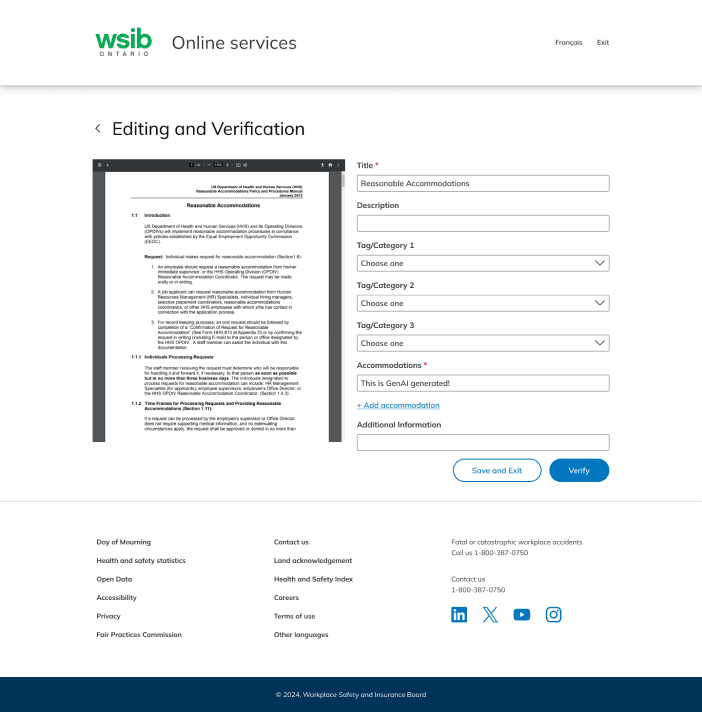
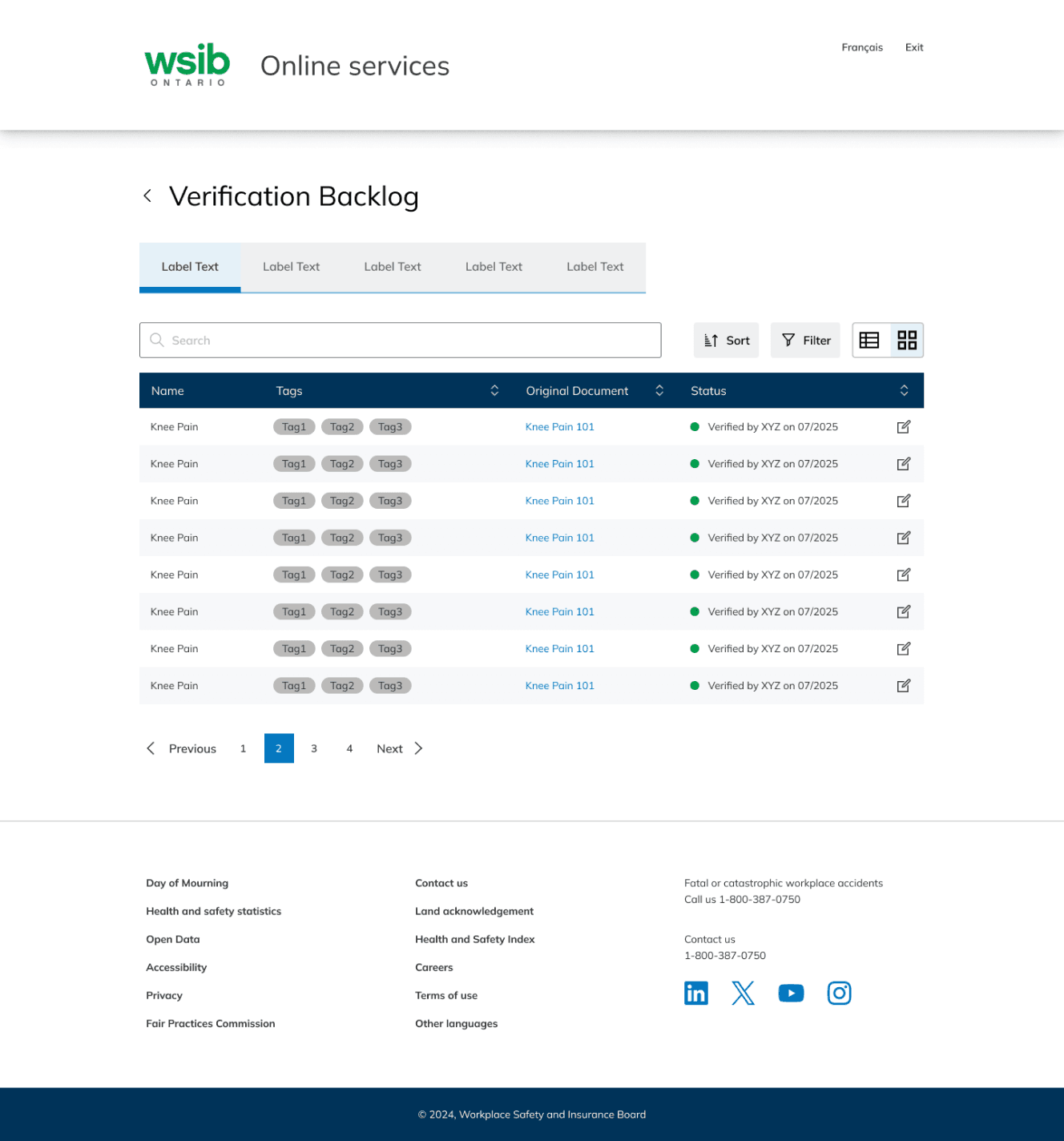
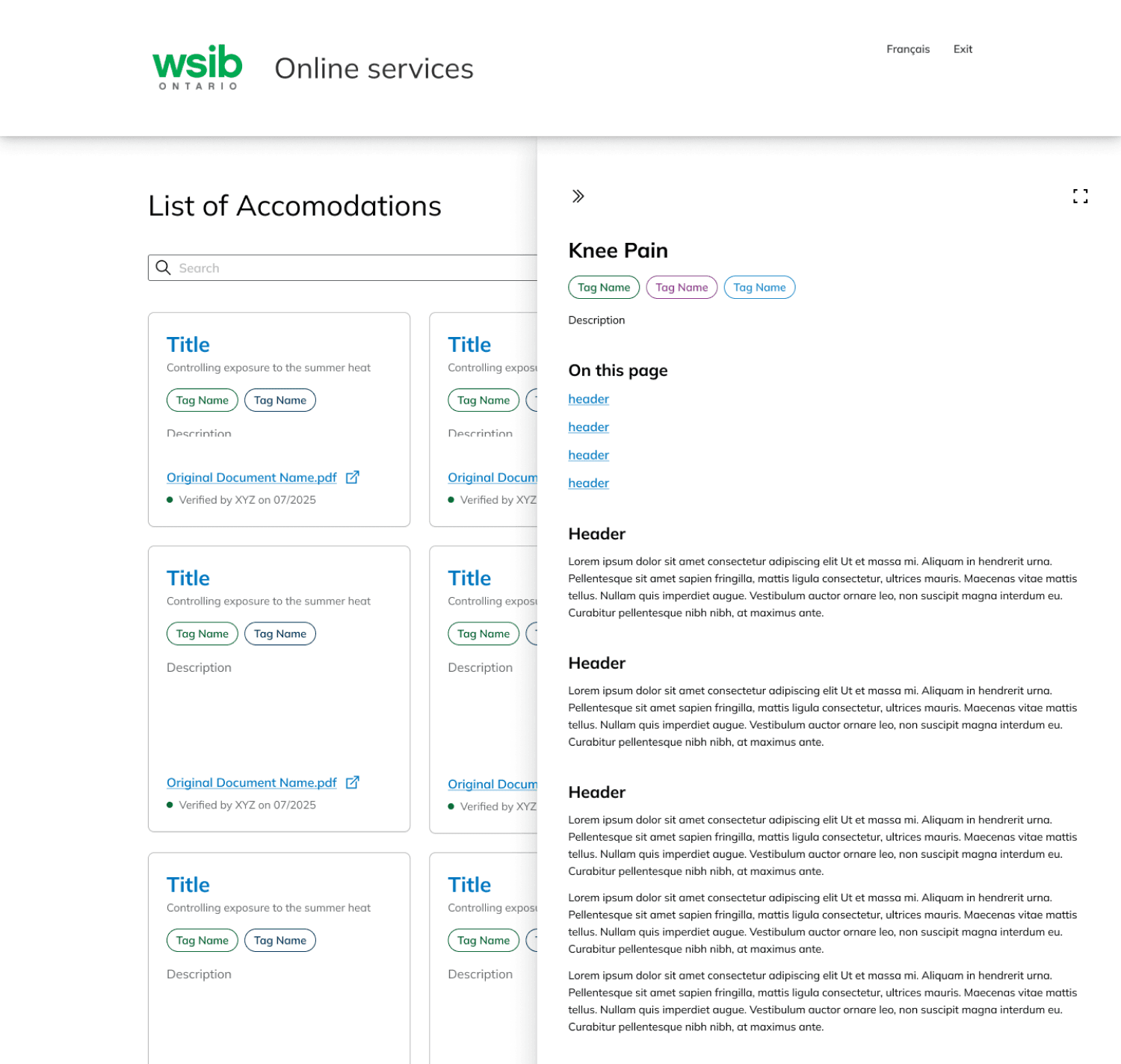
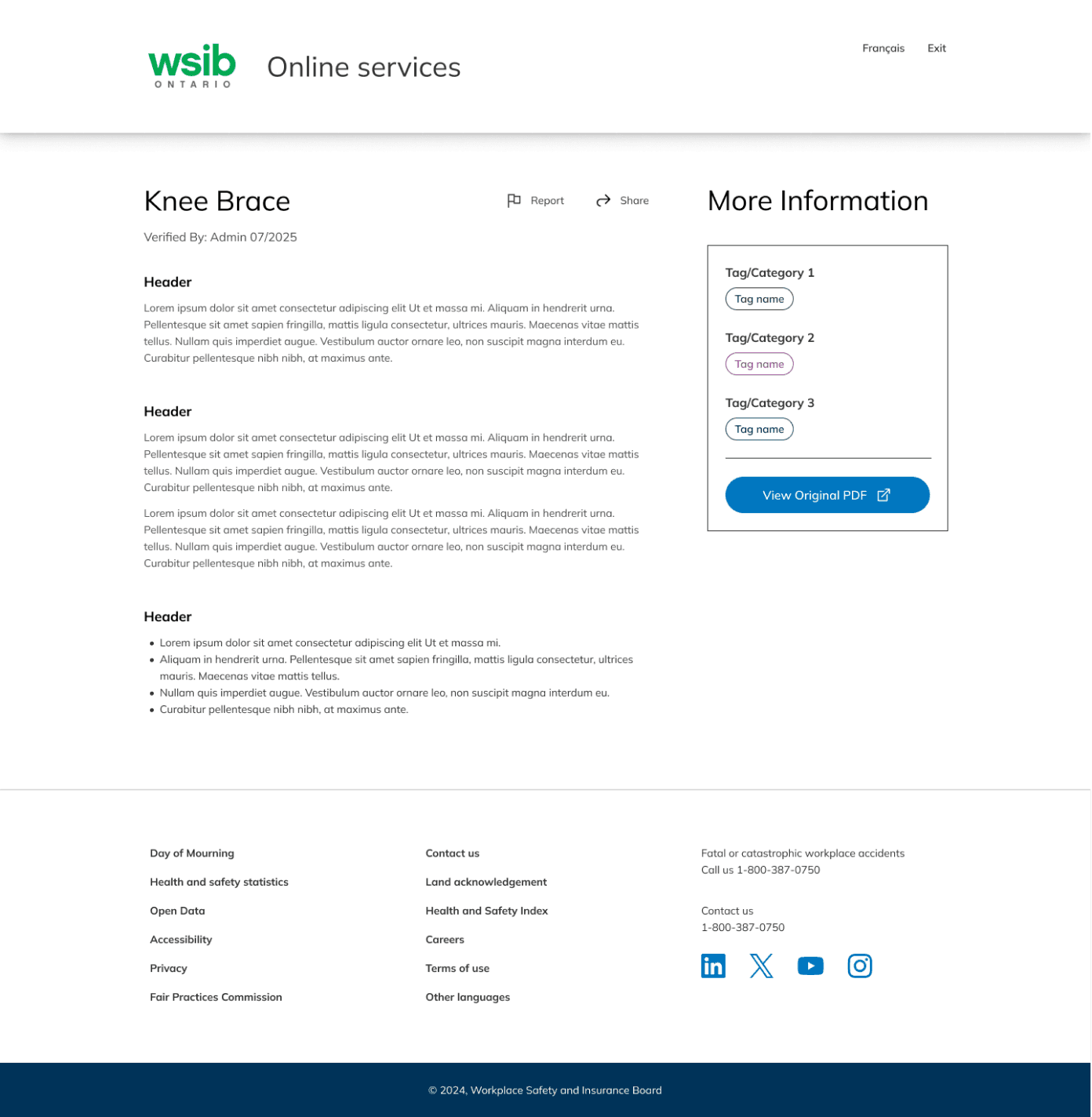
V1 hi-fi designs
V1 hi-fi designs
V1 hi-fi designs
Designing for different screens
Designing for different screens
While looking at our user needs, our Project Manager proposed creating a mobile version so Return-to-Work specialists can support injured workers anytime, anywhere. Given the smaller viewport, I suggested removing the editing accommodations flow.
While looking at our user needs, our Project Manager proposed creating a mobile version so Return-to-Work specialists can support injured workers anytime, anywhere. Given the smaller viewport, I suggested removing the editing accommodations flow.
Search on mobile, edit on desktop
Search on mobile, edit on desktop
Accommodation editing requires viewing documents and navigating multiple fields, making it less practical on mobile. We focused the mobile experience on quick, efficient searches.
Accommodation editing requires viewing documents and navigating multiple fields, making it less practical on mobile. We focused the mobile experience on quick, efficient searches.



Refining
Refining
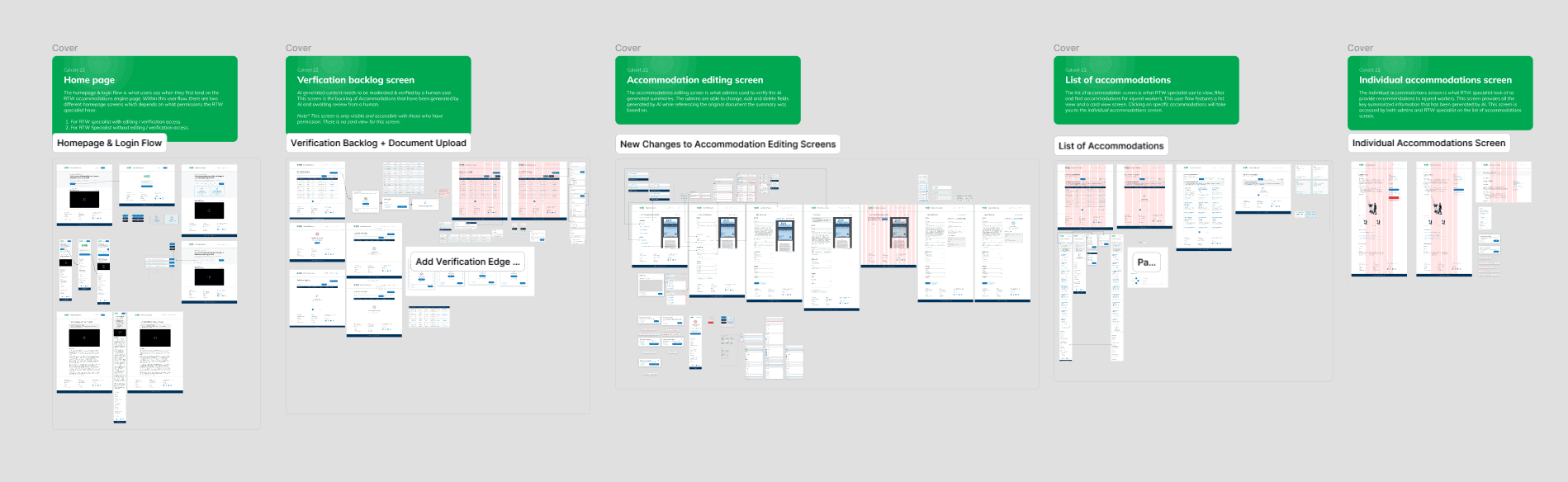
Eight iterations later…
Eight iterations later…
We went through a total of 8 versions, reiterating and designing additional screens as we continued defining the user flow and gaining feedback from stakeholders and design leads.
We went through a total of 8 versions, reiterating and designing additional screens as we continued defining the user flow and gaining feedback from stakeholders and design leads.
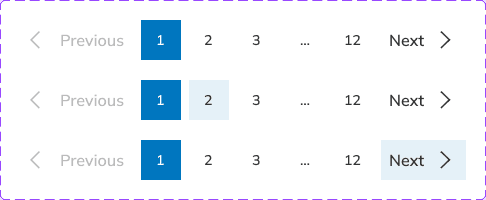
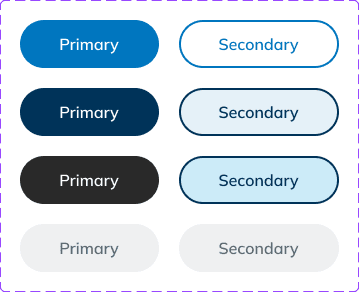
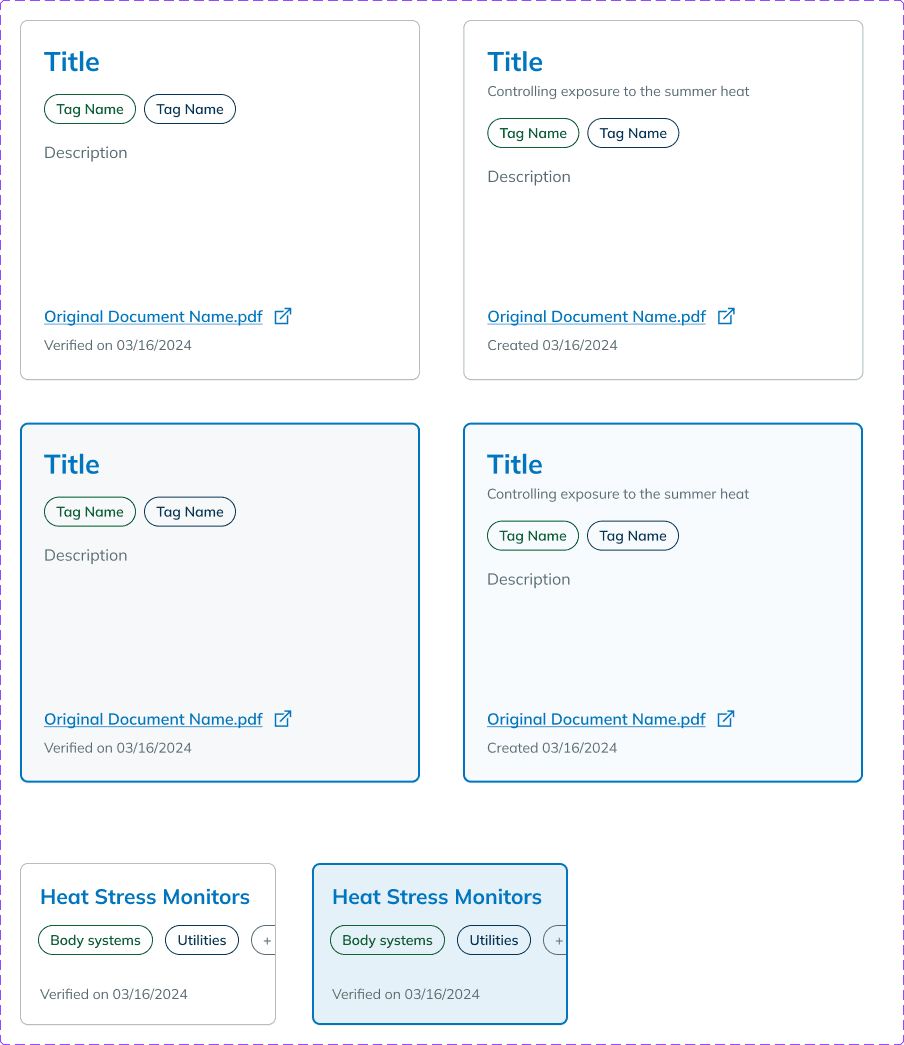
We designed new global components and enhanced the existing design library to improve consistency and accessibility across the platform.
We designed new global components and enhanced the existing design library to improve consistency and accessibility across the platform.
solution
solution
Streamlining the search
Streamlining the search
A streamlined, Gen AI-powered search experience that allows specialists to quickly find relevant accommodations using key words, tags, and filters.
A streamlined, Gen AI-powered search experience that allows specialists to quickly find relevant accommodations using key words, tags, and filters.

Easily search for accommodations
Easily search for accommodations
Turn files into insight
Turn files into insight
Upload new files and let Gen AI quickly find all accommodations provided within them and summarize them. These accommodations will be structured directly into the database.
Upload new files and let Gen AI quickly find all accommodations provided within them and summarize them. These accommodations will be structured directly into the database.

Upload & auto-summarize documents to update database
Upload & auto-summarize documents to update database
Building trust through verification
Building trust through verification
Before being released internally, all AI-generated accommodation summaries enter a verification backlog, where RTW specialists can edit, review, and approve them for accuracy.
Before being released internally, all AI-generated accommodation summaries enter a verification backlog, where RTW specialists can edit, review, and approve them for accuracy.
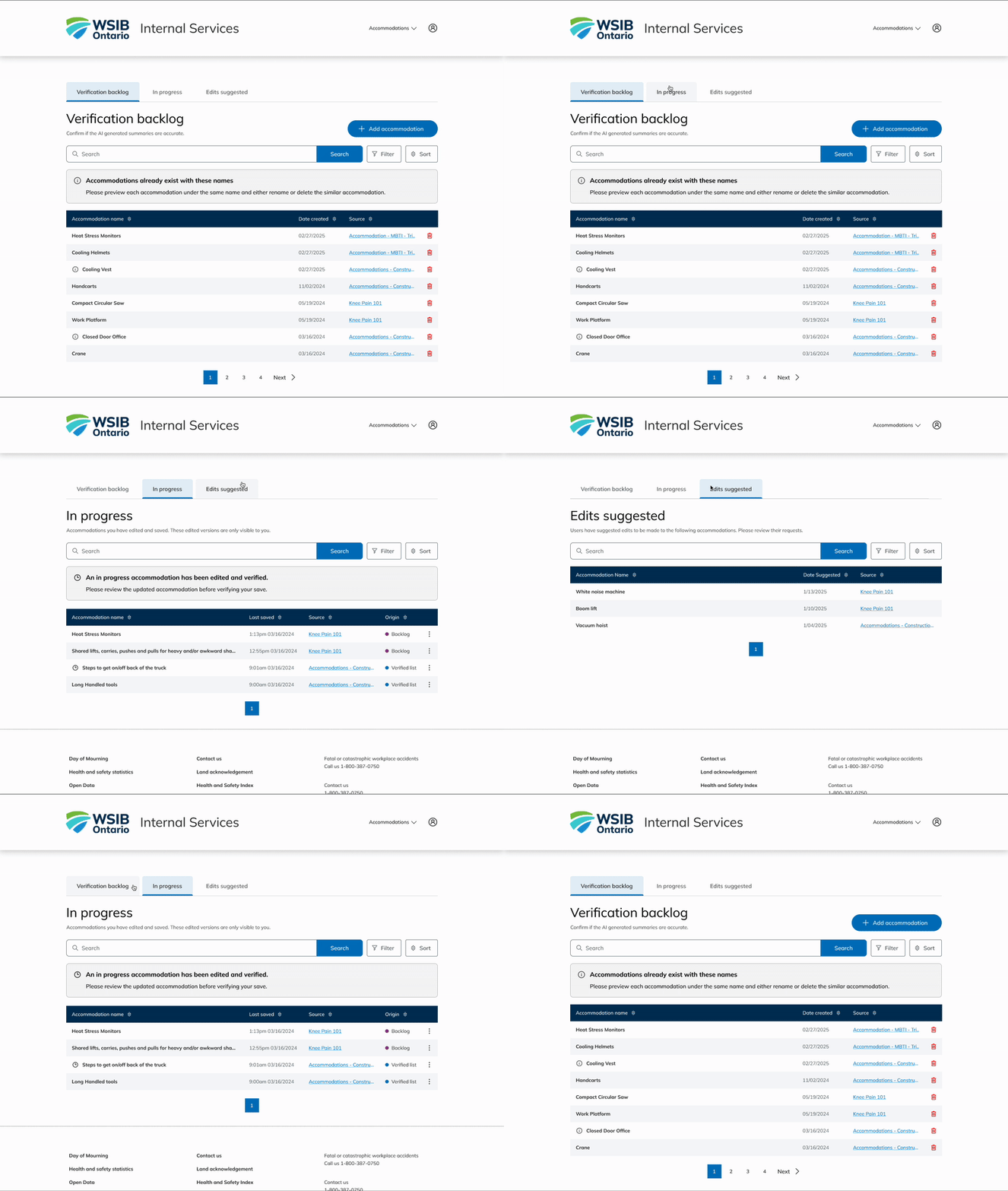

Build trust with AI content through human verification
Build trust with AI content through human verification
Takeaways
Takeaways
Teachable moments
Teachable moments
No projects will ever go smoothly. There will always be lessons from the journey that shape me into a better designer.
No projects will ever go smoothly. There will always be lessons from the journey that shape me into a better designer.
Cross-functional collaboration
Cross-functional collaboration
Collaborating with developers and communication specialists helped me strengthen my communication and advocate for users throughout each iteration.
Collaborating with developers and communication specialists helped me strengthen my communication and advocate for users throughout each iteration.
Show relevant info where needed
Show relevant info where needed
Our Design Leads provided feedback throughout the project. One key piece of advice was to surface important information when relevant to reduce user confusion.
Our Design Leads provided feedback throughout the project. One key piece of advice was to surface important information when relevant to reduce user confusion.
Results
Results
Shipped internally to 200+ Return-to-Work specialists
Shipped internally to 200+ Return-to-Work specialists
After our design team established the foundation and presented the proof of concept, the project received full-scale investment. The next team of interns continued iterating on the design, and it has now officially shipped internally!
After our design team established the foundation and presented the proof of concept, the project received full-scale investment. The next team of interns continued iterating on the design, and it has now officially shipped internally!