
Context
The final project for this course involved designing a mobile app that met a specific criteria set by the professor. Our team had to make online learning easier and engaging for students.
SetSkill is a mobile learning app that adapts online curricula to match the users' preferred learning styles through the VAK model. Using AI, SetSkill can take a submitted curriculum and create additional materials so that online learning remains engaging and beneficial.
For this project, my impacts include (but are not limited to)
defining user flow
ideating and designing frames on the prototype
conducting every usability test to reiterate on designs
Course
User Experience Design
role
UX Designer
timeline
1 week (Nov 2023)
team
2 UX designers
3 Researchers
The problem space
We began by researching the challenges surrounding online learning to identify areas of improvement. This research laid the foundation for the direction we would take this project.
Limitations of Traditional Online Learning
Online courses often only utilizes one or two senses and are not flexible, which make students struggle to locate their strengths and weaknesses.
Our goal was to design a mobile content-delivery app that allows users to learn with different styles through the power of adaptive AI.
Defining the users
We conducted user interviews to better understand their pain points and needs. Our goal was to interview at least one participant each using a list of questions we jotted down. These were some of the questions we asked:
What was some of the stressors you have experienced from course-based apps?
Have you ever had any bad experience with the online course that you did?
What would you personally like to see these apps or services do that has not been mentioned?
pain points
Unengaging
Online learning materials are often not retained due to unengaged learning.
Minimal application
The online courses do not offer opportunities to apply the material.
outsourcing lessons
Many users found more success learning when sourcing outside material and teaching themselves the course contents.
personas
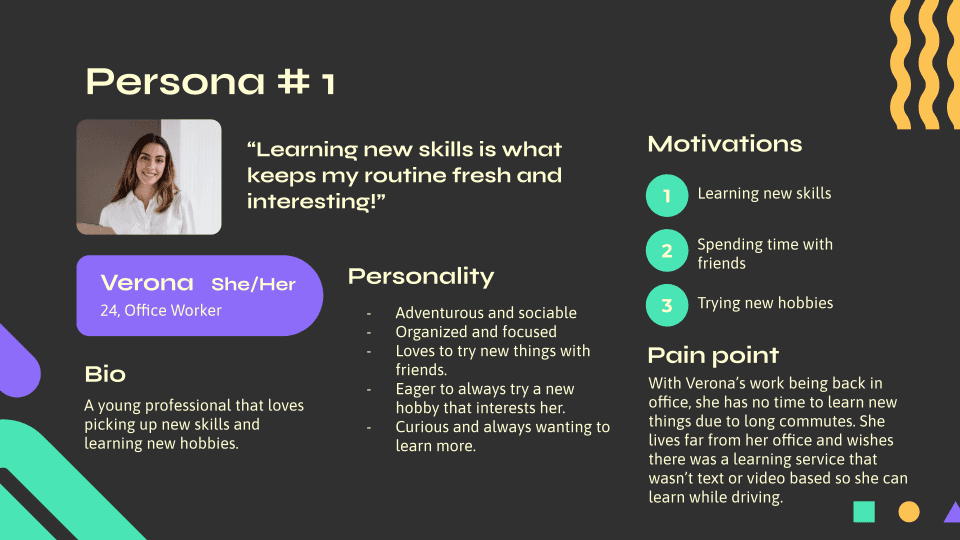
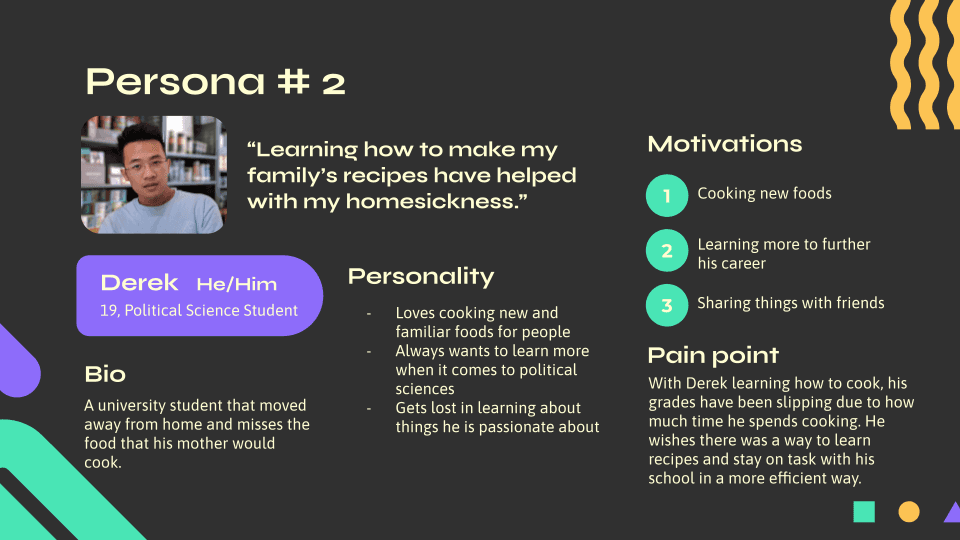
One of our researchers created a few personas. These two were chosen because we felt that it encapsulated our target audience the most.
Starting the design
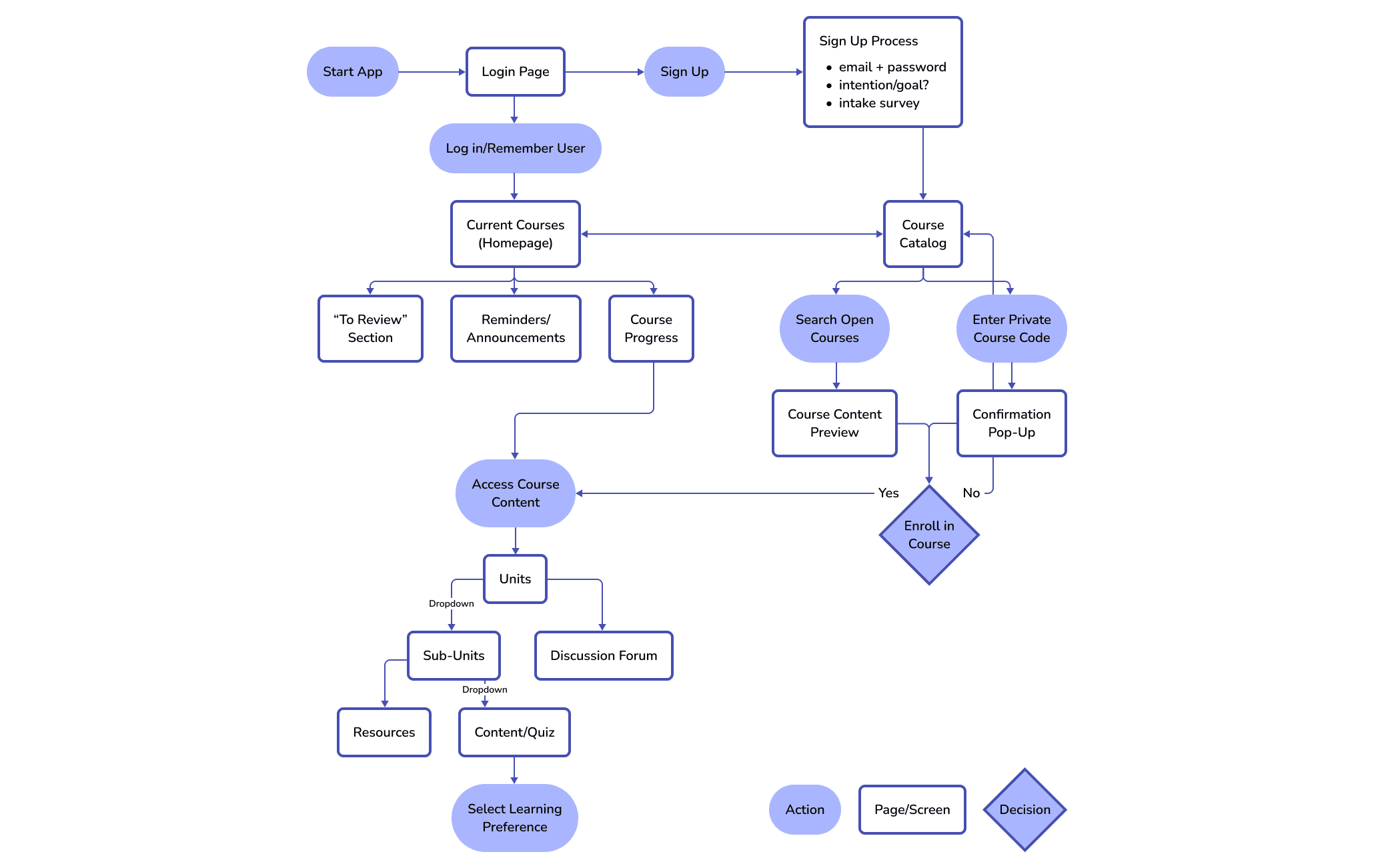
As the other designer and I were thinking of what the app should have, I soon realized that we had different mental models of the product. I requested that we make a user flow to have a visual understanding of what each screen or interaction should do in our app. This is what we came up with:
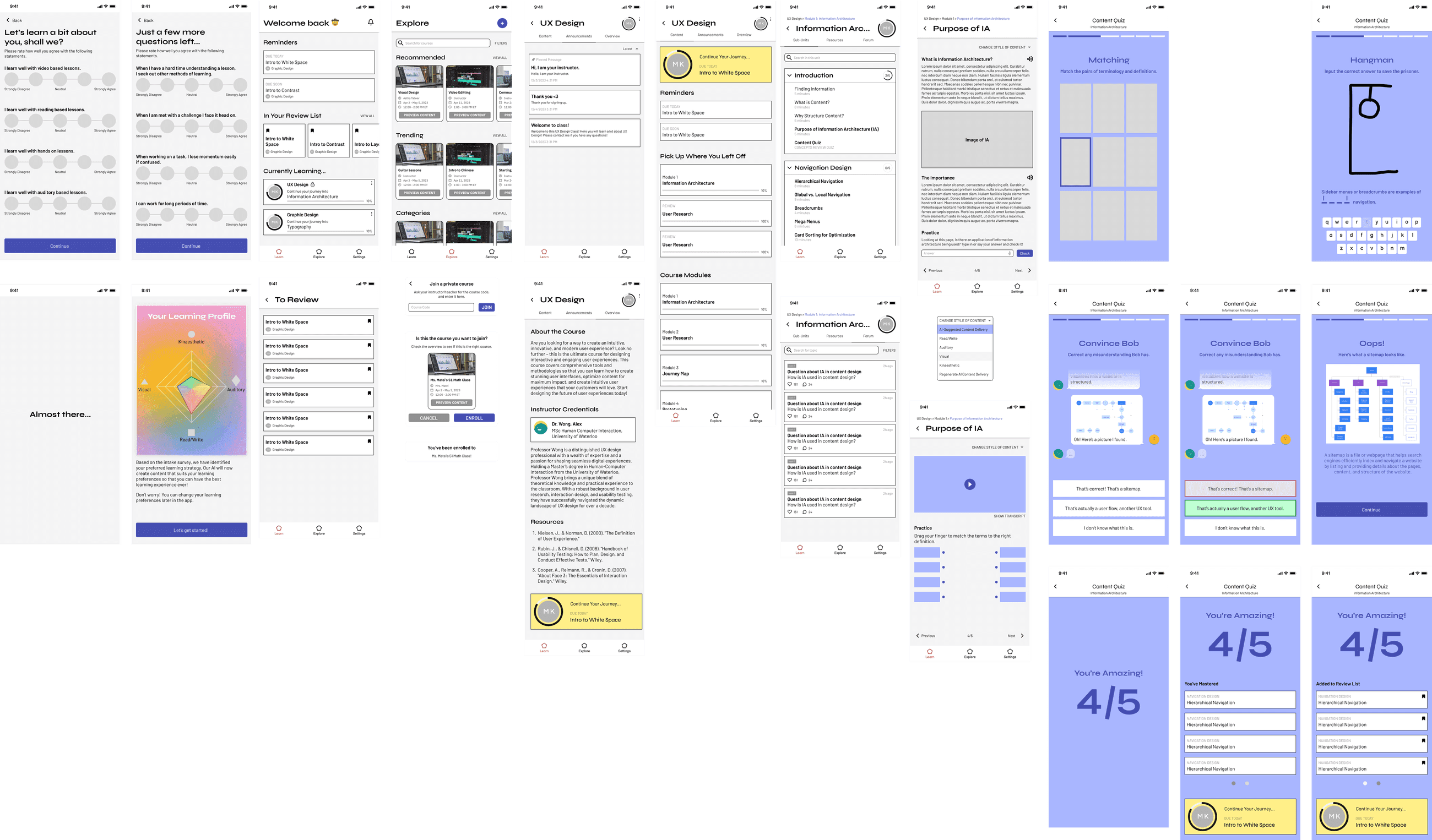
Once the user flow was established and agreed upon, the design team started making the mid-fi wireframes.
Usability testing
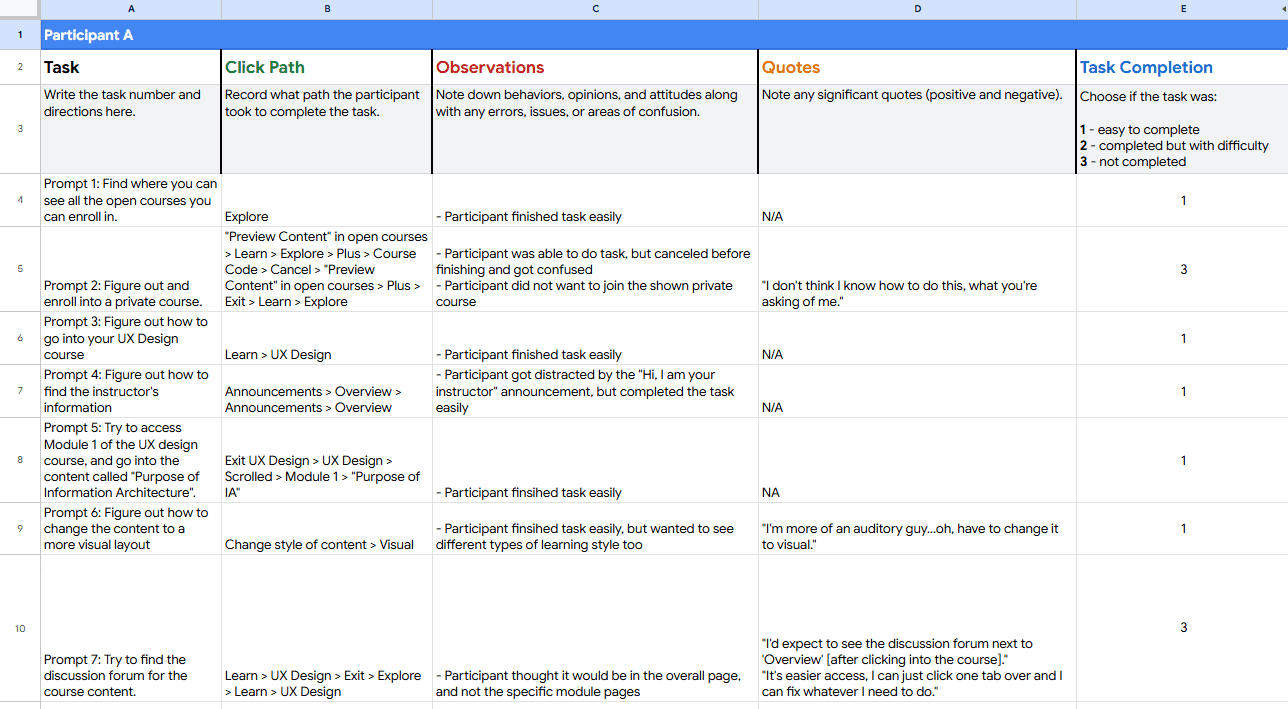
I conducted usability testing on five participants with diverse backgrounds to test the mid-fi prototype remotely. I requested participants to perform a list of prompts and to think aloud. Click paths, key observations, and quotes were jotted down in Google Sheets for analysis.
Here is a small snippet of a usability study:
Key finding 01
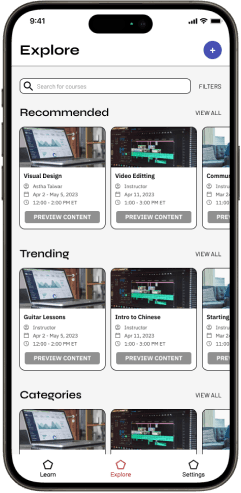
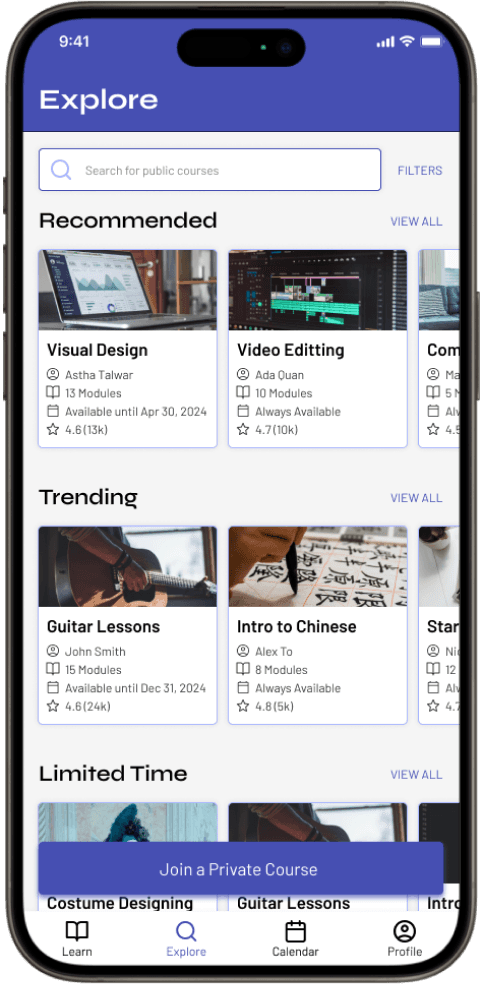
4 out of 5 participants were unable to enroll into private courses
The 1 participant that was able to do it had to click around to figure out how
“I don't think I know how to do this, what you're asking of me.” (Participant A)
After
Key finding 02
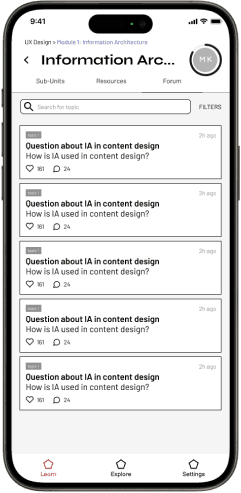
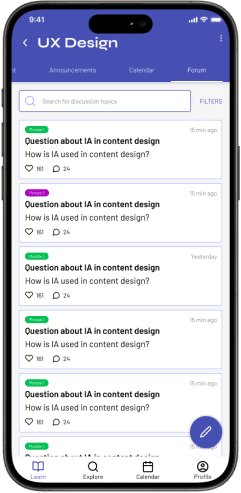
3 out of 5 participants could not find the discussion forum
The remaining participants had to search around the app to find it
“I assume it would be one of the top headers within the course, or within the dashboard/content page." (Participant E)
Key finding 03
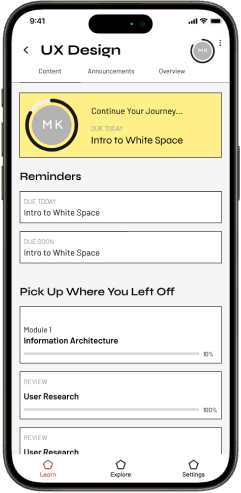
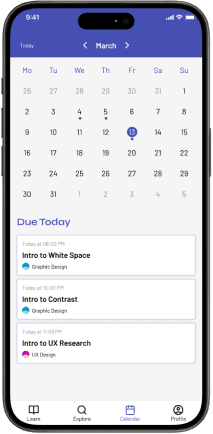
3 out of 5 participants suggested an easily accessible calendar or syllabus to know what content to learn ahead of time
“I would appreciate, like if there was a calendar [in the app], because finding the deadlines within modules are like 'where is all the info?'” (Participant C)
Solution
Engaging Content through AI-Adaption
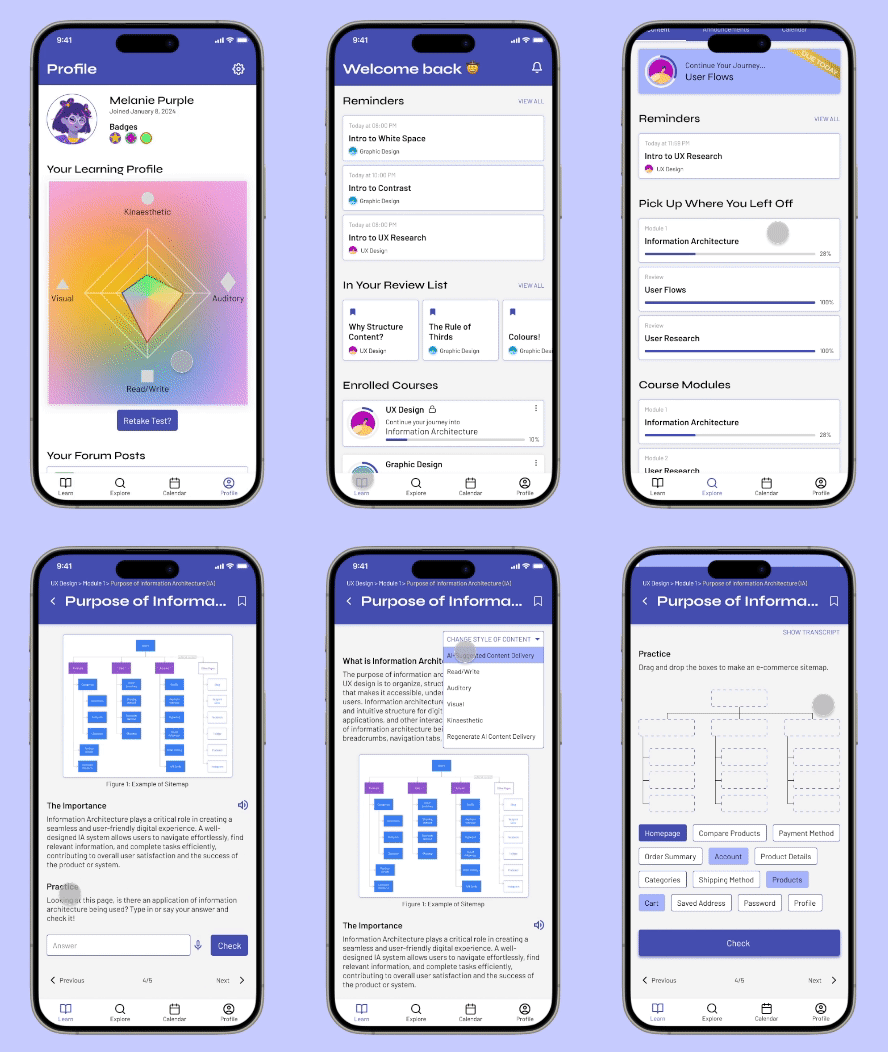
Depending on each user's learning profile from the intake survey, the AI formats course content and practice questions to match their preferred learning style. Users can easily change the format through a dropdown, ensuring a more engaging and personalized learning experience.
Gamified Learning Application
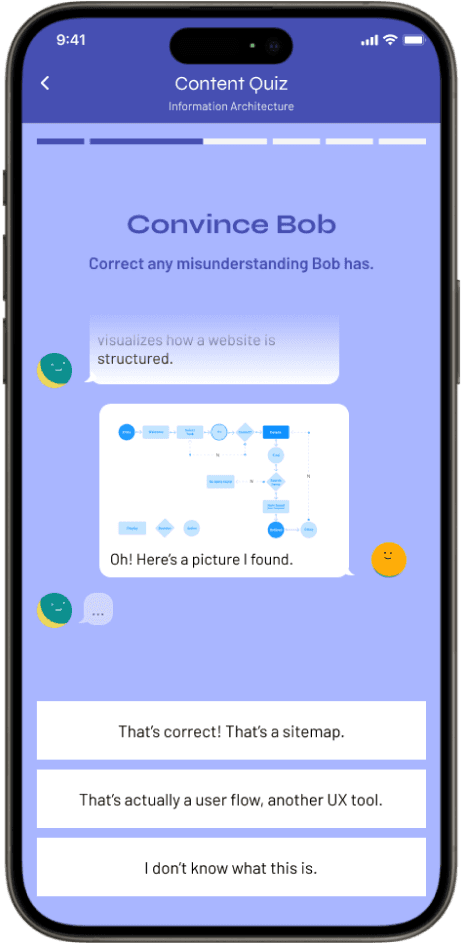
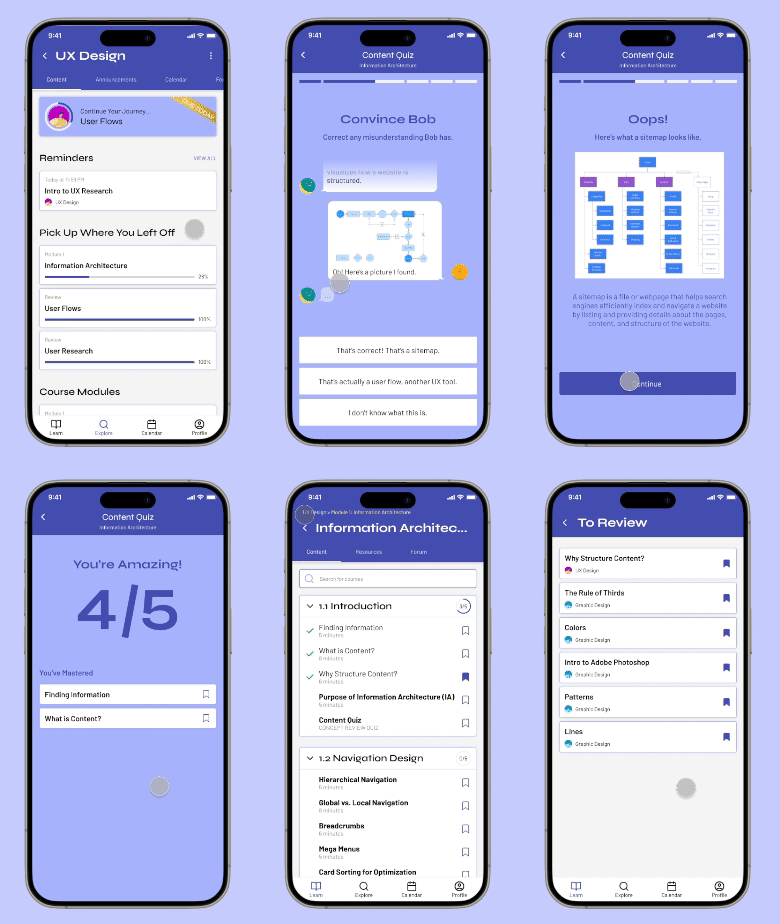
Users will be able to apply learned content materials through engaging, gamified content quizzes. After completing the quiz, any topics the users had difficulties with will be added into review for them to look back on.
Variety of Online Courses
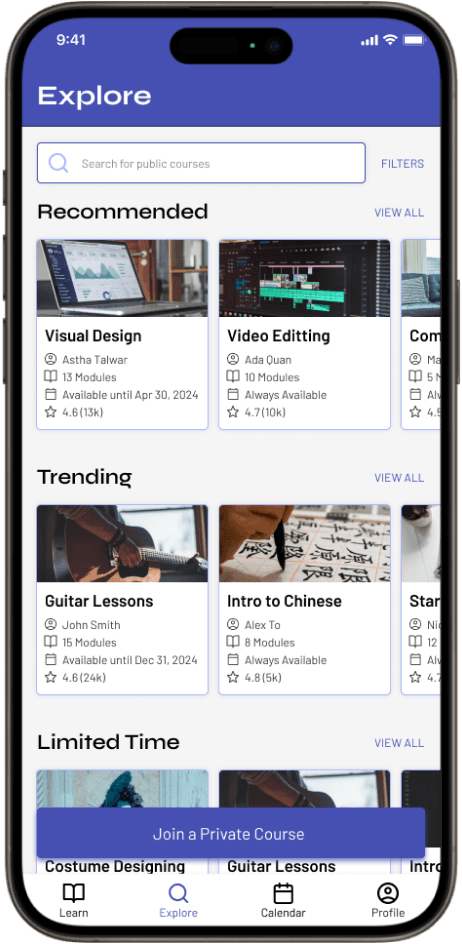
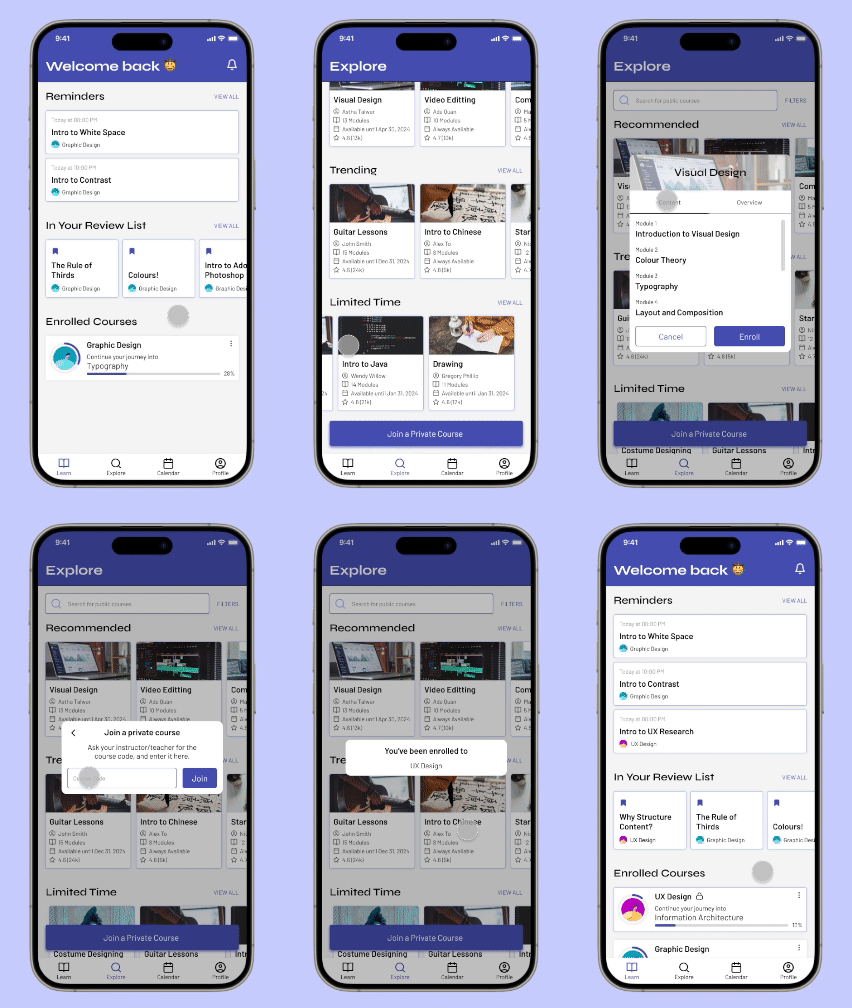
While users can join a private course made by their professors, tutor, etc., they will also have a variety of open/public courses to choose from as well!
Stay on Track with Content
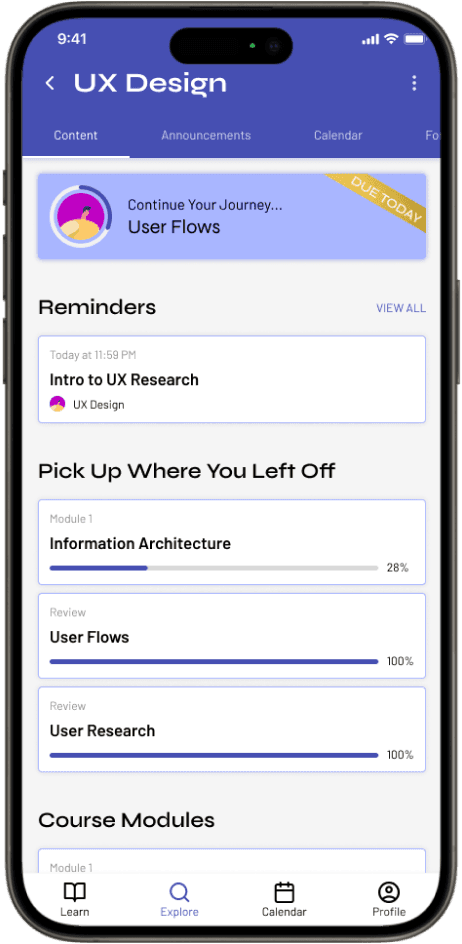
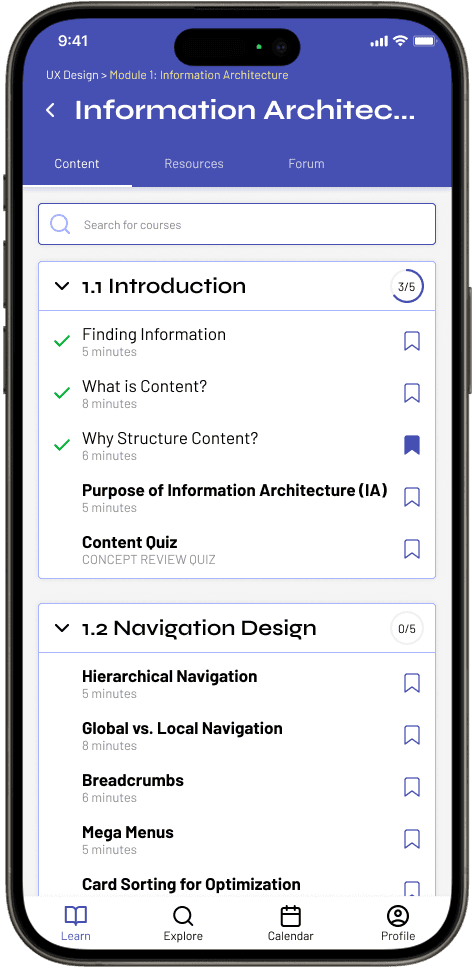
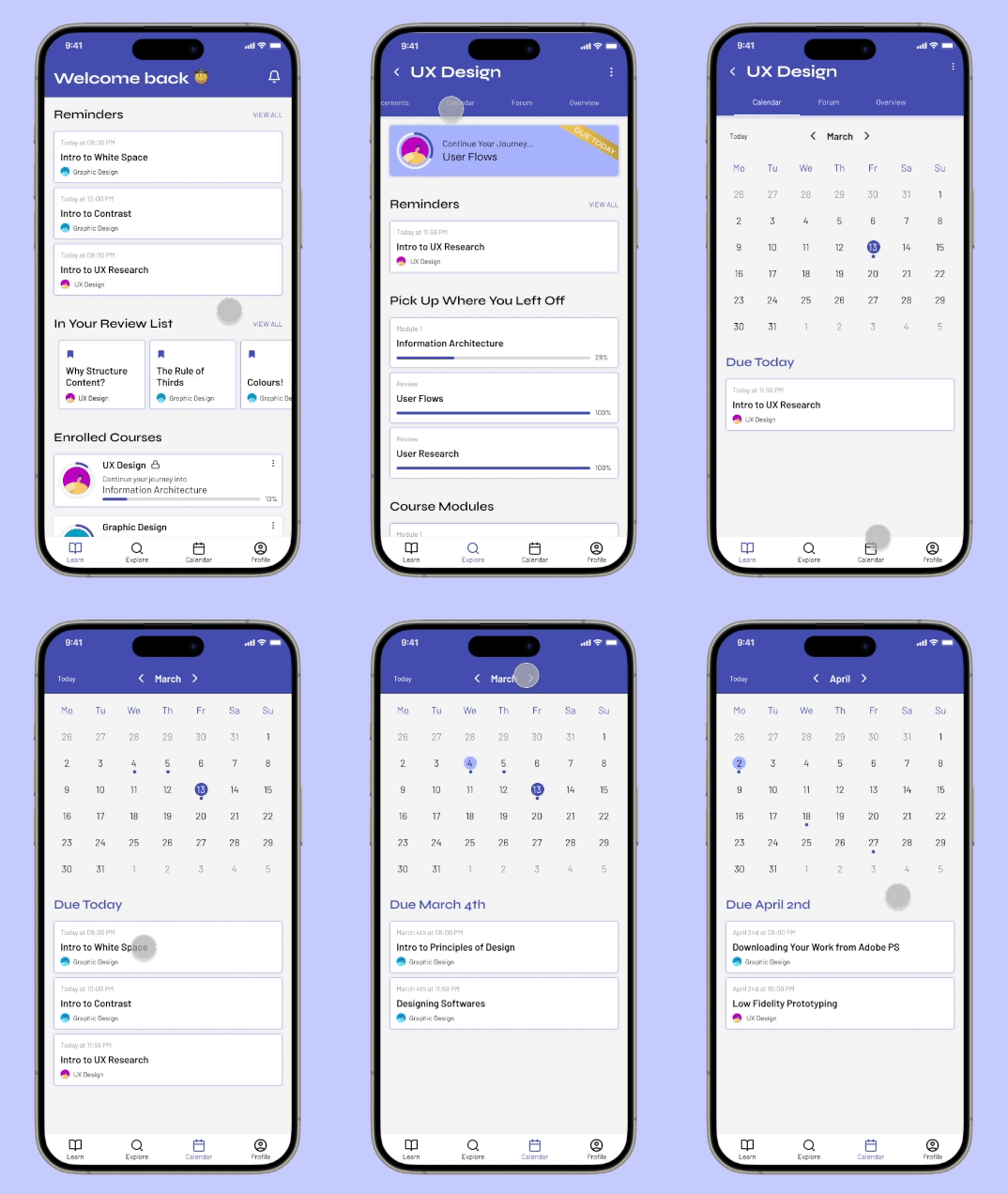
Users can see when each content should be read within the course page itself. However, if users want to see deadlines from all their courses, the calendar tab will provide that information.
Takeaways
Lessons
different mental models
Everyone has a different mental modal of how the user journey may go. The user flow really helped our group stay on the same page, and have a greater understanding of the needs for each screen.
embrace feedback
After our first mock pitch, the feedback made us realize that we had to pivot and change our entire app. This project was an unexpectedly great way to challenge our group into being as flexible as we can with the little time we had left.
Next steps
If I were to continue or revisit this project, some of my next steps would be:
Gather more user data by conducting another round of usability testing with the new iterations
Explore more ways to improve online learning
Explore partnerships or collaborations with educational institutions, organizations, or companies