
Context
Plooto is a fintech company that automates accounts payable and accounts receivable for small and mid-sized businesses, while also enabling parent companies to manage and oversee their child companies within a single platform.
For this project, I was tasked with designing a new parent company dashboard that supports both transactions and client management.
CoMPANY
Plooto
role
Product Designer
timeline
4 weeks (Nov 2025)
team
2 Project managers
1 Product designer (me!)
1 Design mentor

The problem space
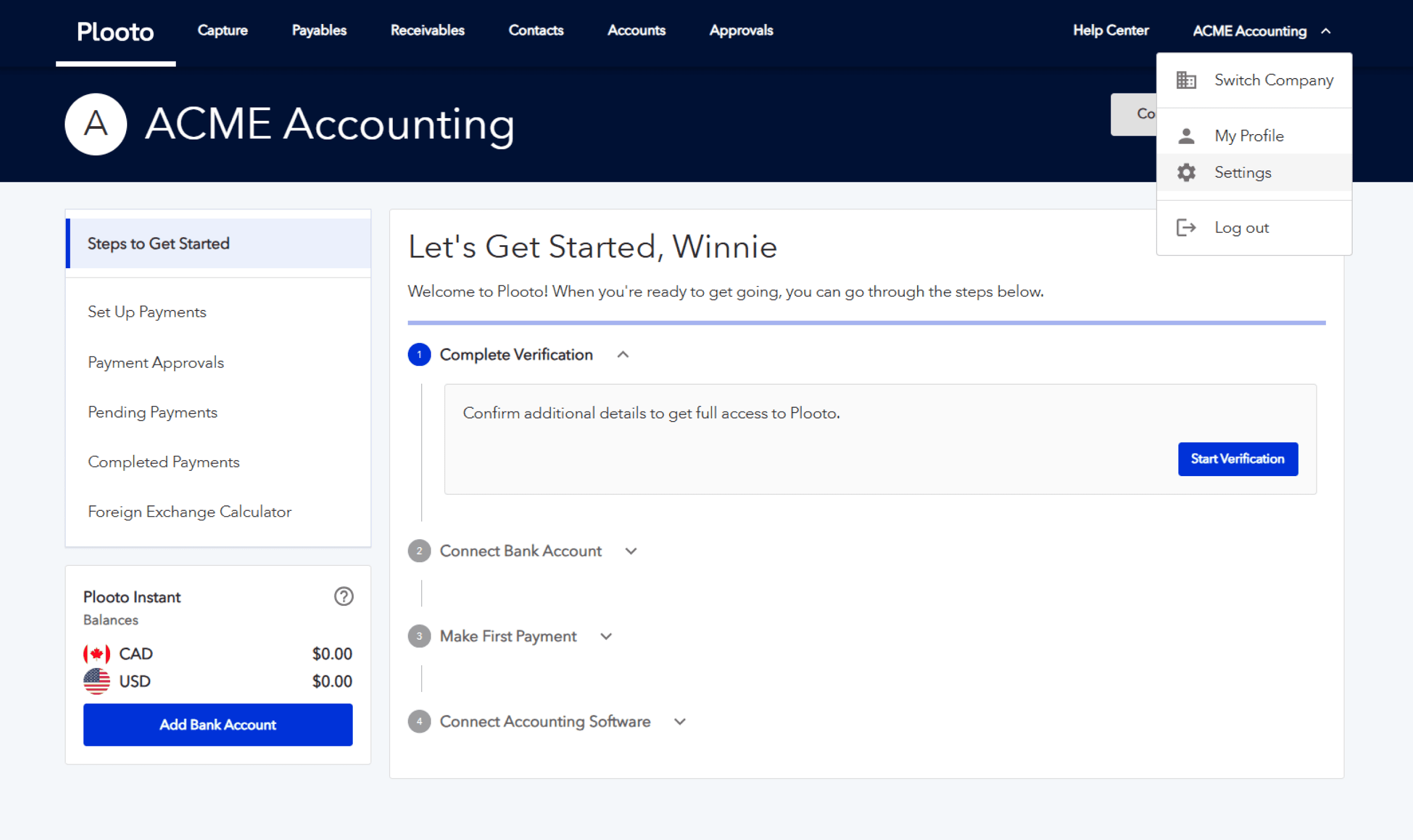
During registration, users are able to choose their business type. This helps Plooto identify whether the business is an independent, child, or parent company. However, we identified a key challenge after registration.
the landing dashboard is not catered for firm and client management
Regardless of what business type the user selected, they were always directed to the same transaction-focused dashboard. This meant that the parent company experience is not catered for their primary need of managing clients, leading to a disjointed user journey.
Defining success
To tackle the problem, we decided to create a new dashboard geared for parent companies, followed by A/B testing to evaluate whether it is more intuitive and better meets user needs. The project managers determined our success criteria:
reduce time to add first child company and staff member
When users land on their dashboard, we want them to access core features easily. We hope they quickly start managing their clients and inviting their team onto the platform.
Product assessment
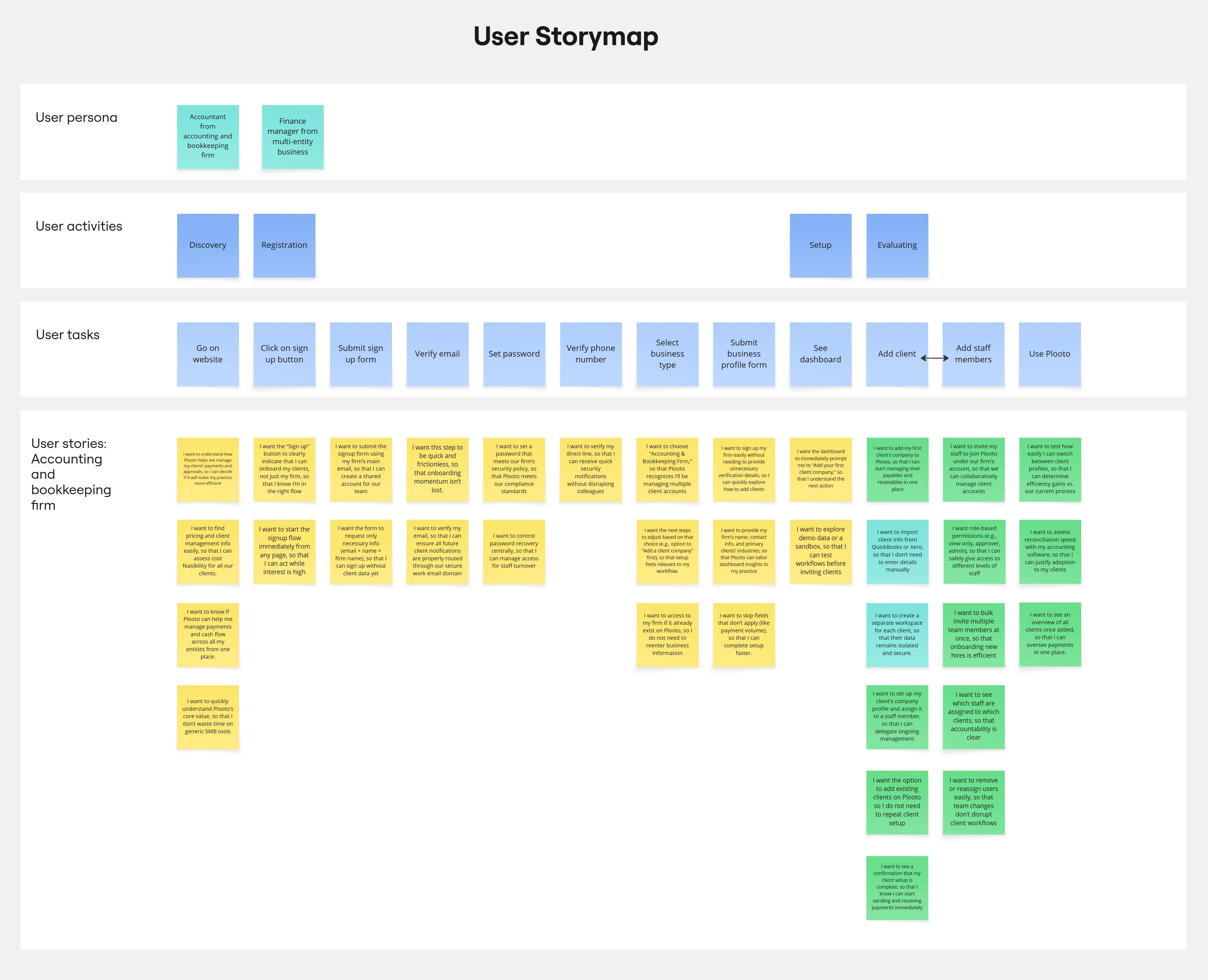
I conducted an audit of the parent company onboarding flow and created a user story map to understand their workflow and uncover disjointed experiences.
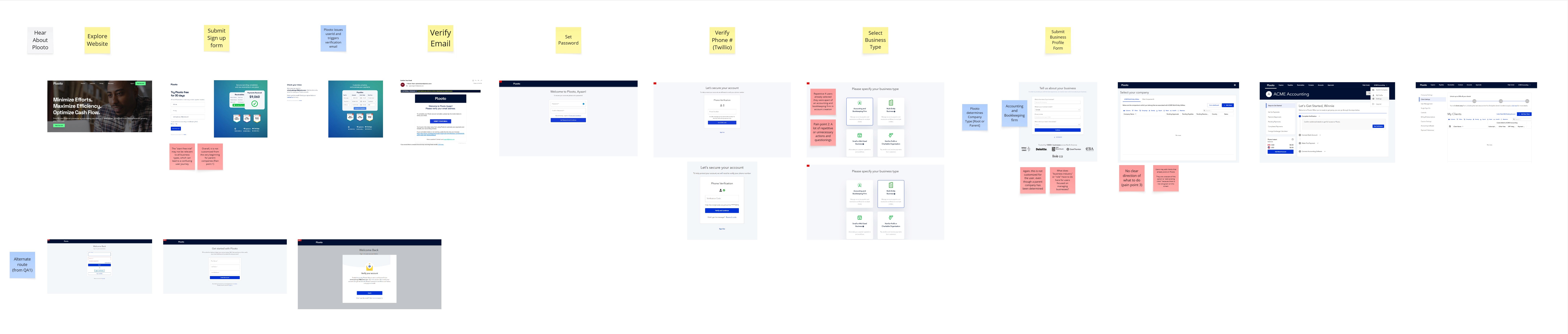
One of the project managers conducted four internal interviews with Account Executives and Customer Support Managers, all of whom regularly speak with users and provide guidance for the product, to see what our parent company users were most troubled by.
With her findings and my discovery work, we identified the main pain points that our parent company users were facing and presented them to the team:
Design
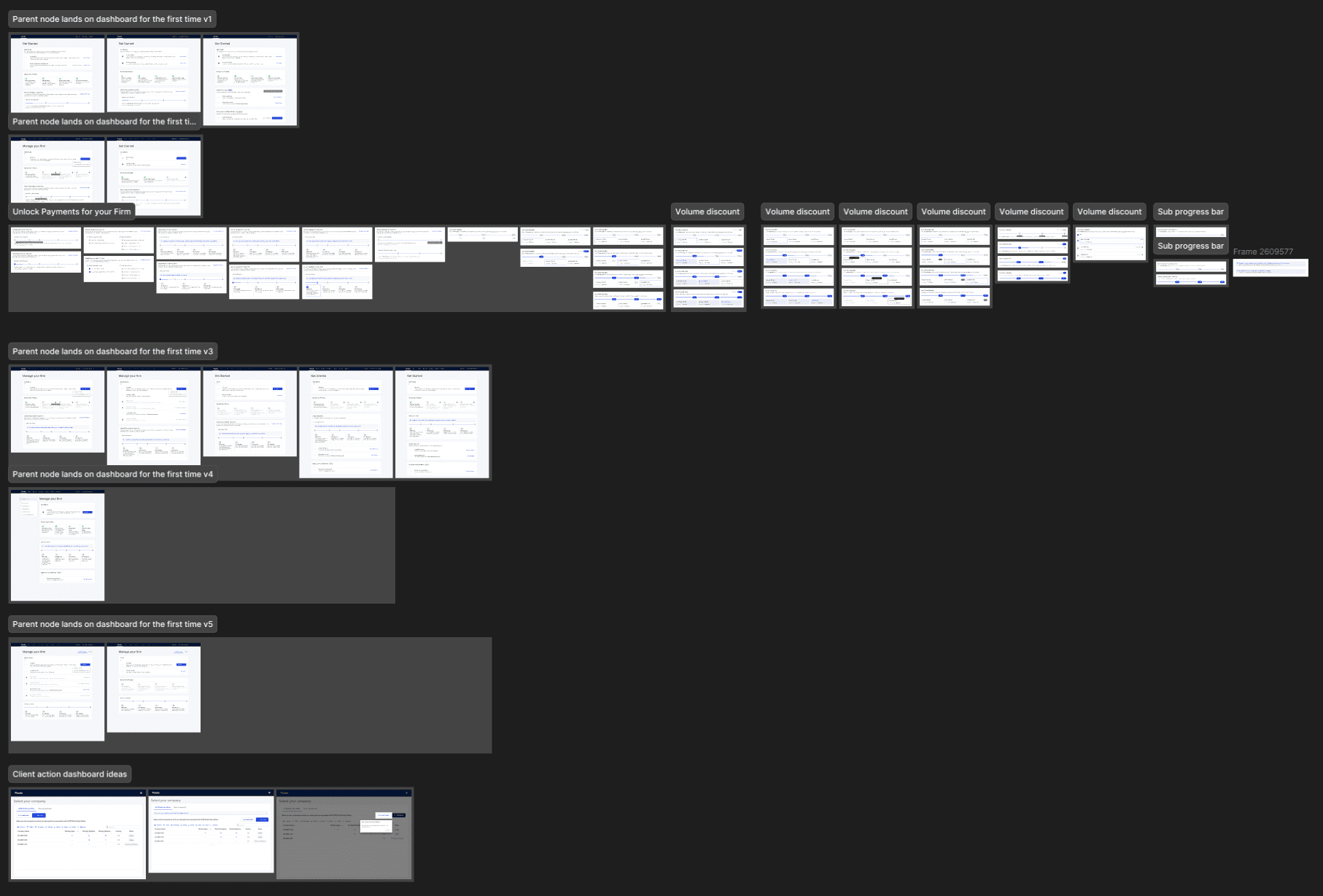
While I was designing different versions of the parent dashboard, there were a few questions I had in mind.
What core features do users want?
While we wanted users to add their clients and staff, I also wanted to consider the other important actions they may do.
How should features be seperated?
Parent company users would primarily use Plooto as a firm management tool, but there were some that still transacted.
How can bonuses be promoted?
Hidden bonuses were found in 'Settings', depending on the number of clients a user has. This info should be visible.
These questions helped guide me through designing and iterating, as well as the feedback I received along the way.
Key decision 01
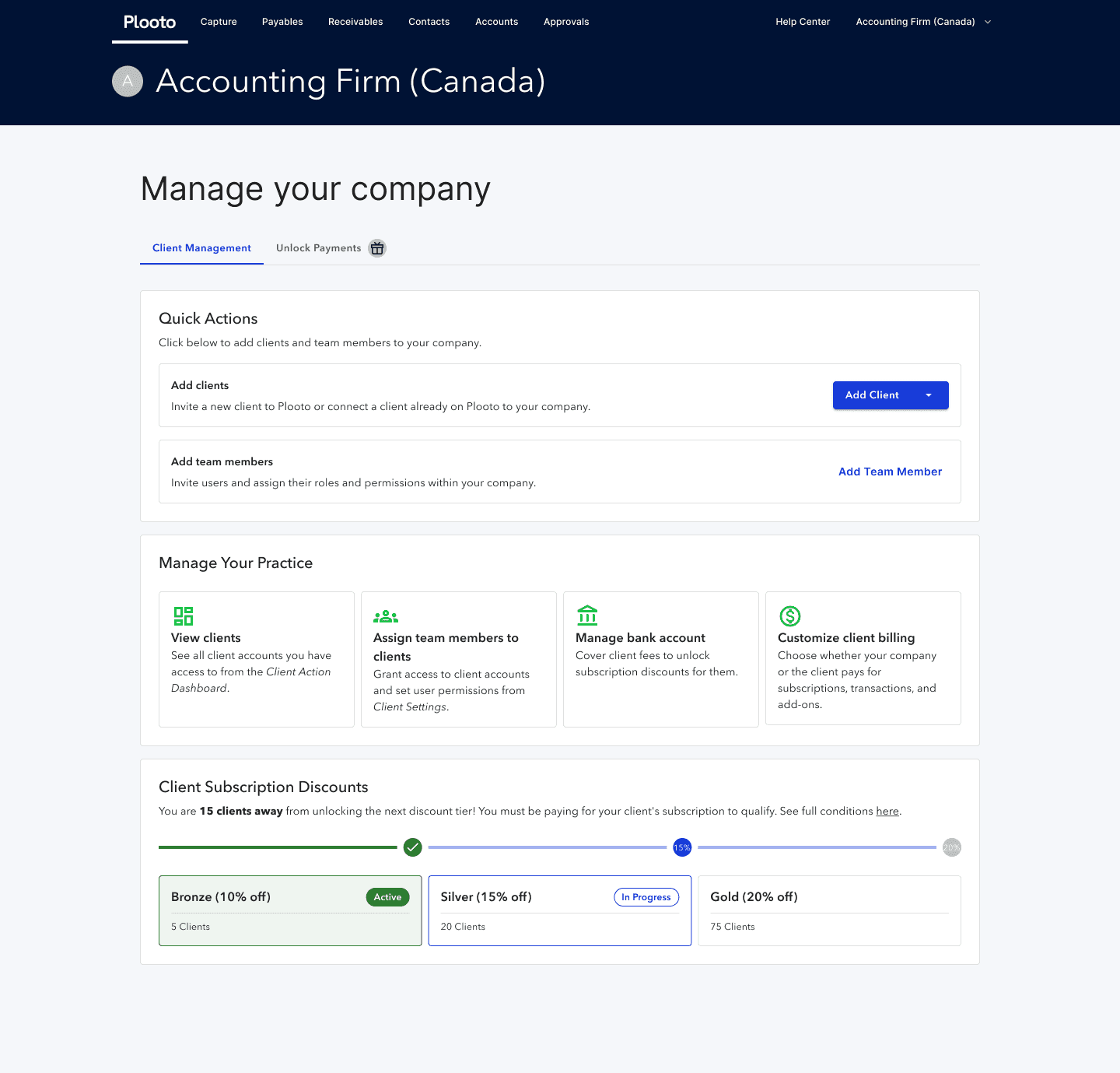
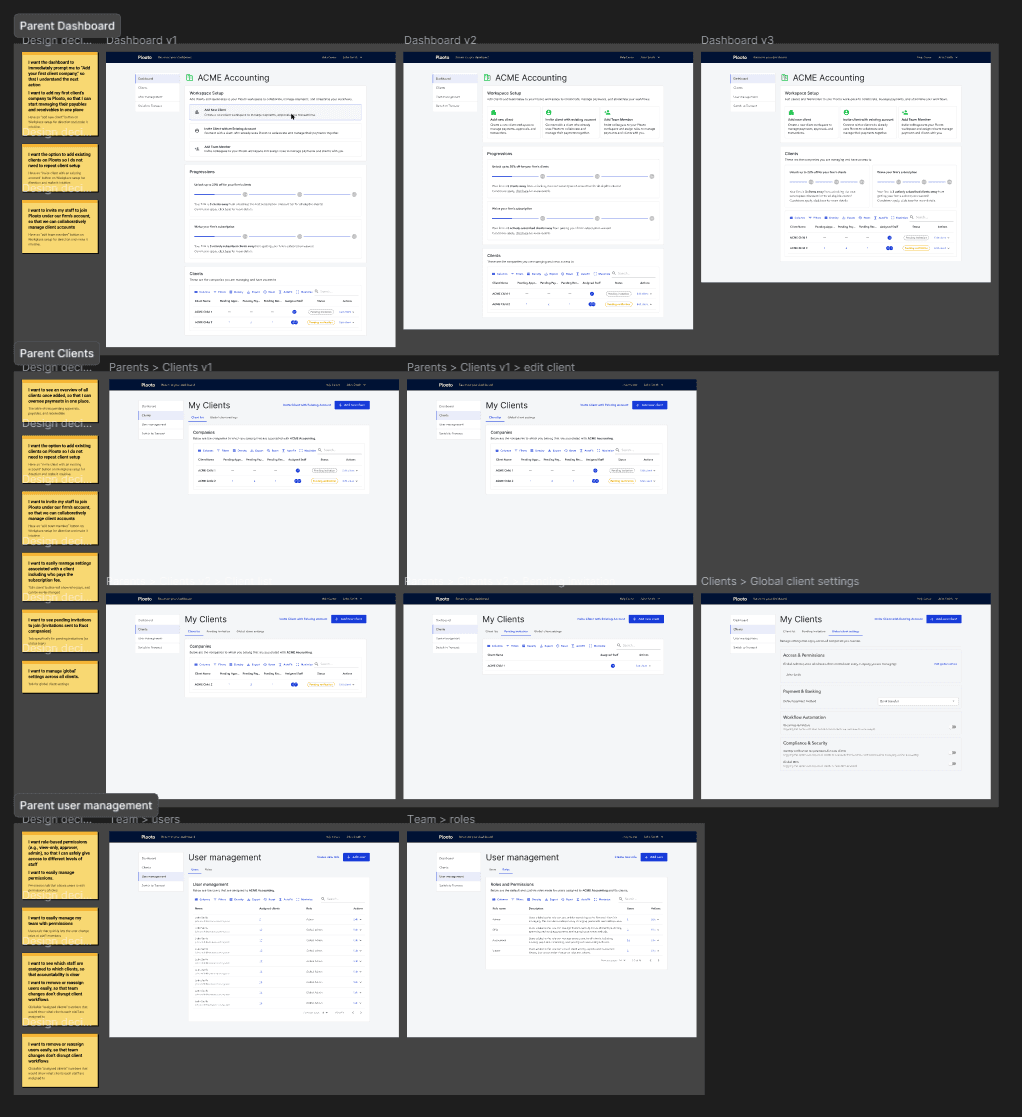
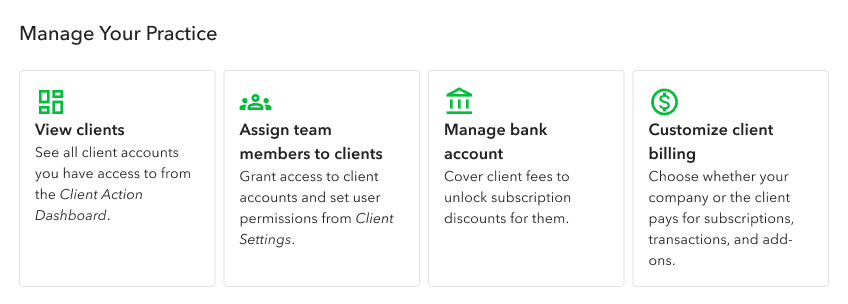
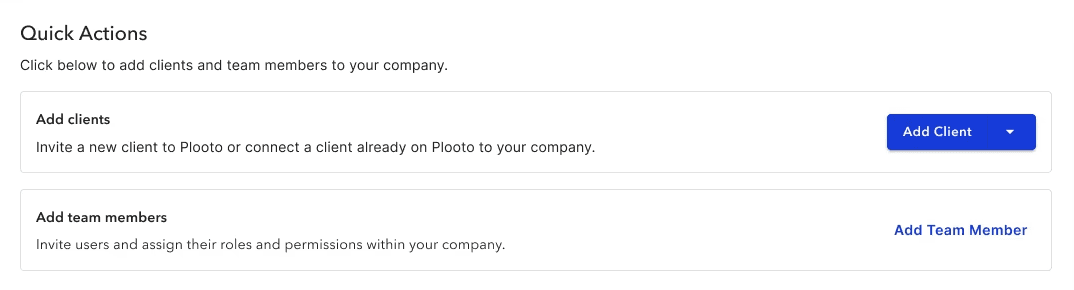
Account Executives and Customer Support Managers shared that many parent company users contacted them for help with adding clients, inviting team members, and viewing all accounts. I decided to add quick actions and practice management actions on the dashboard that performed core features.
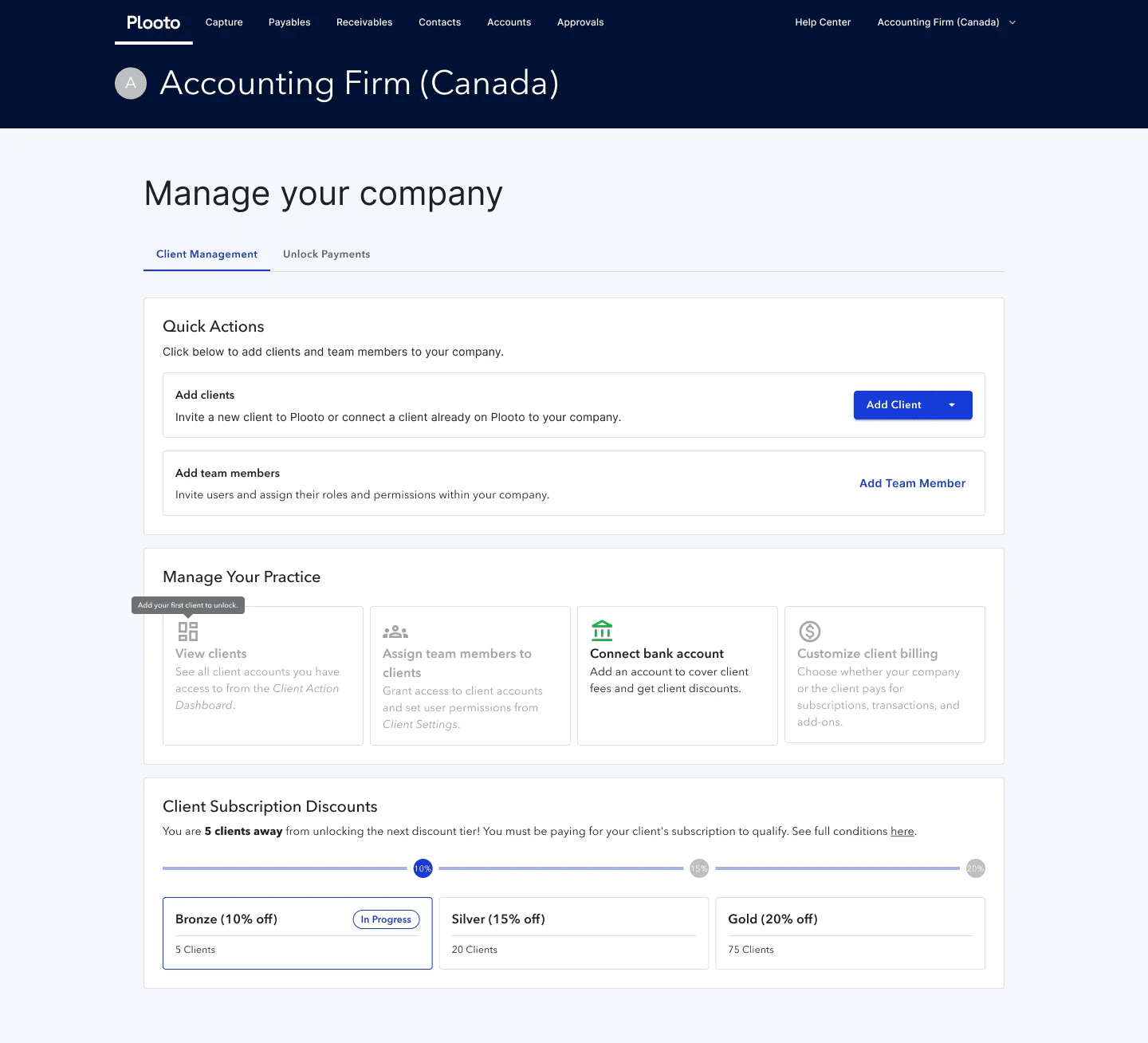
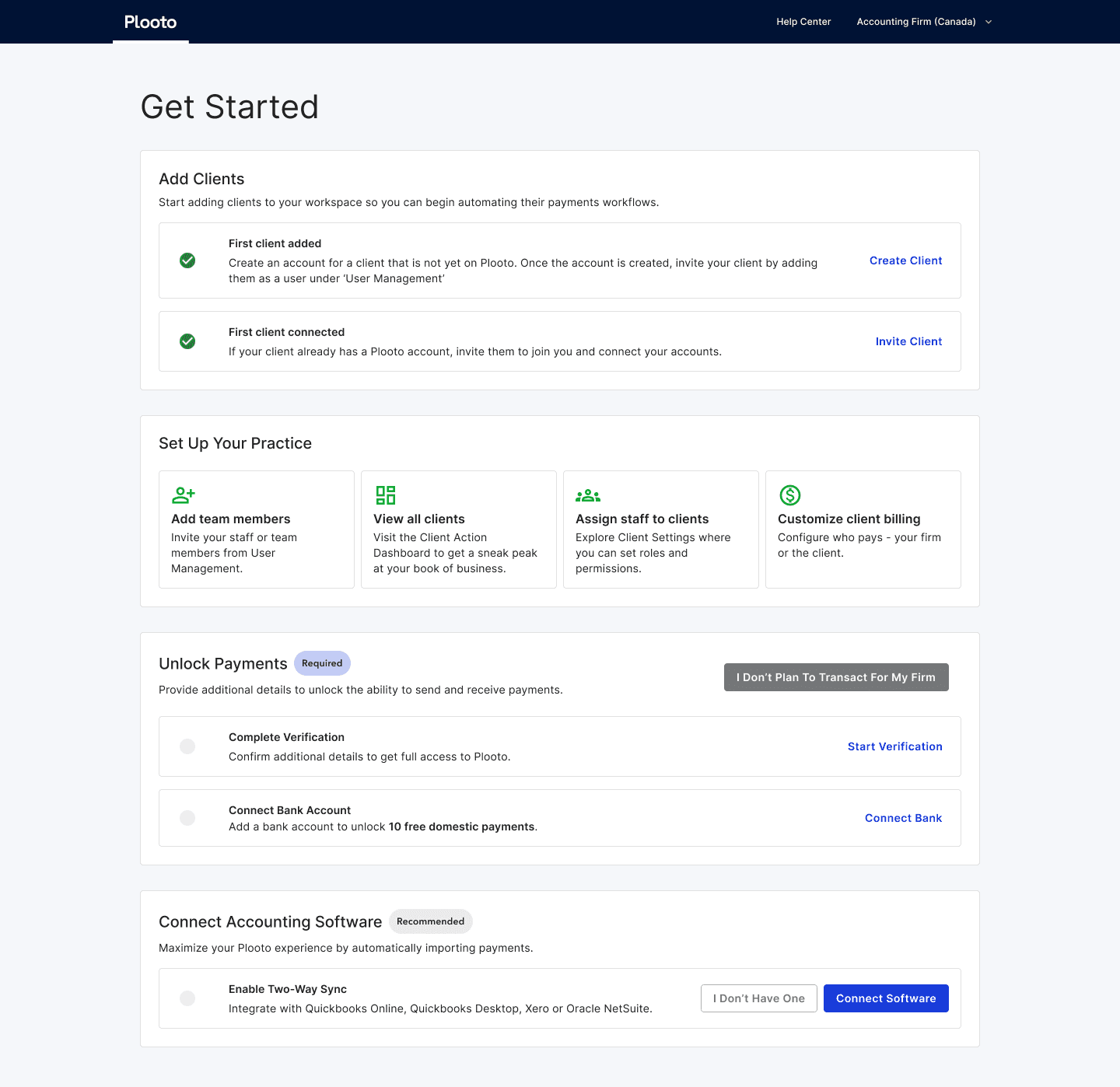
Key decision 02
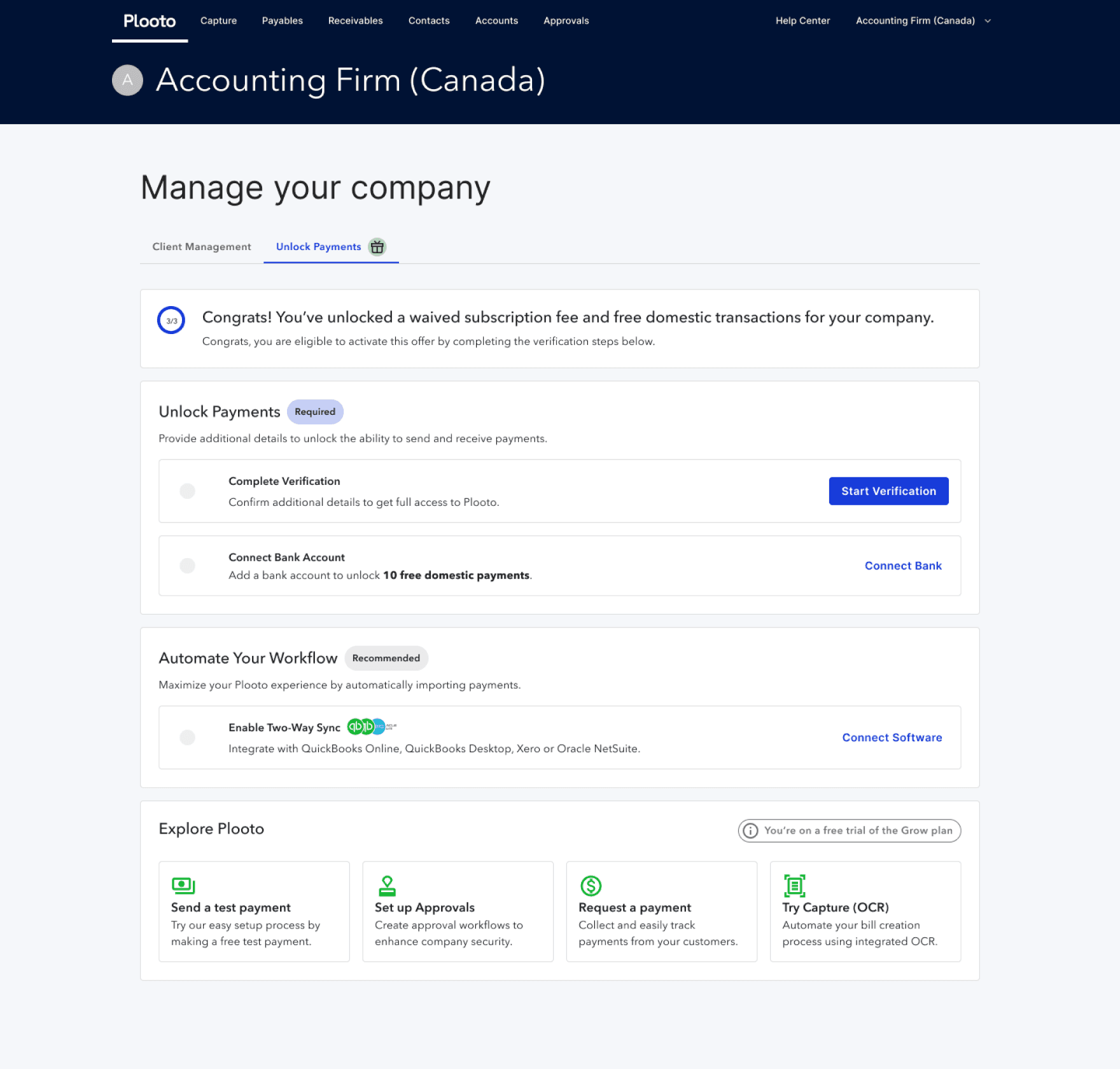
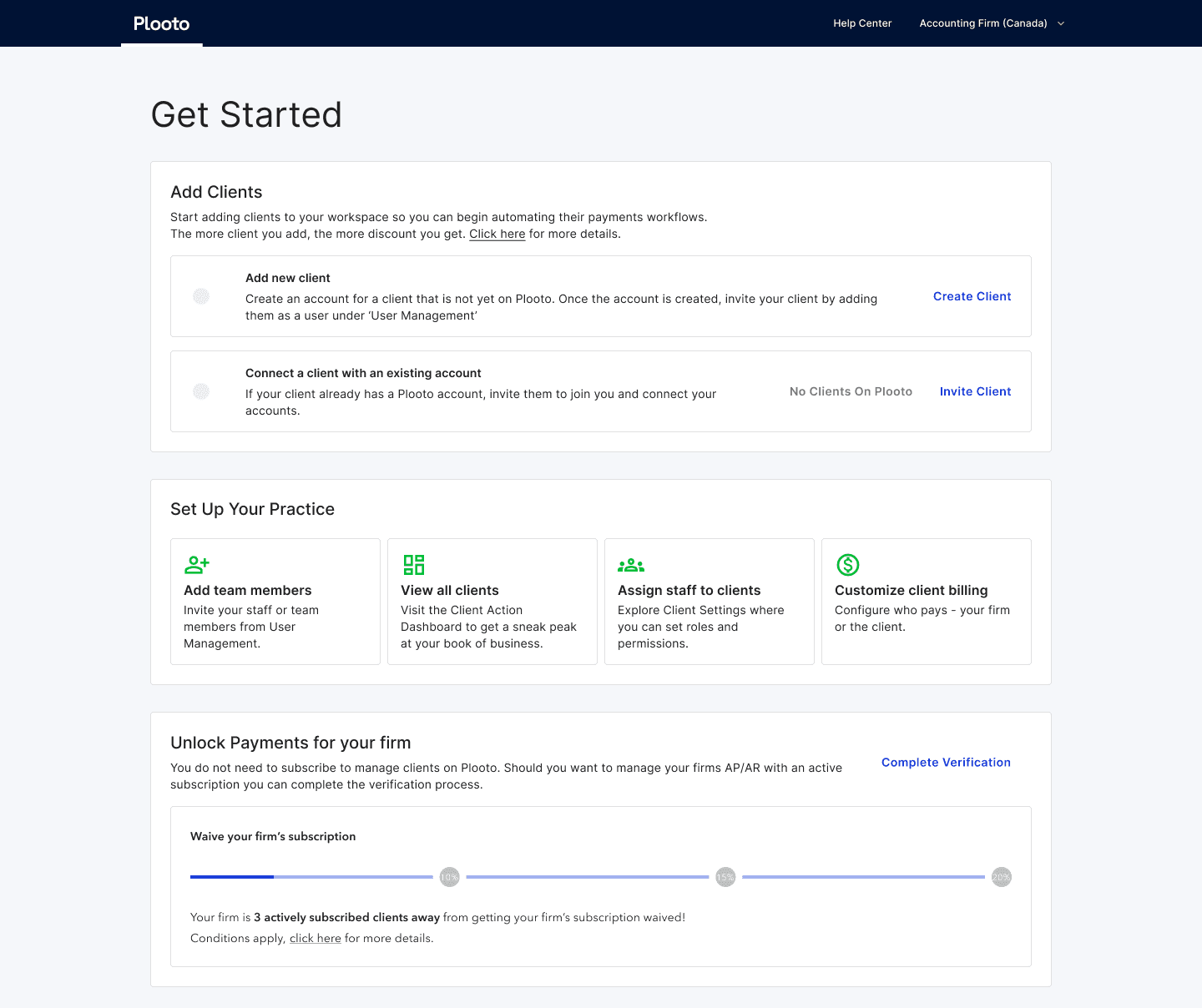
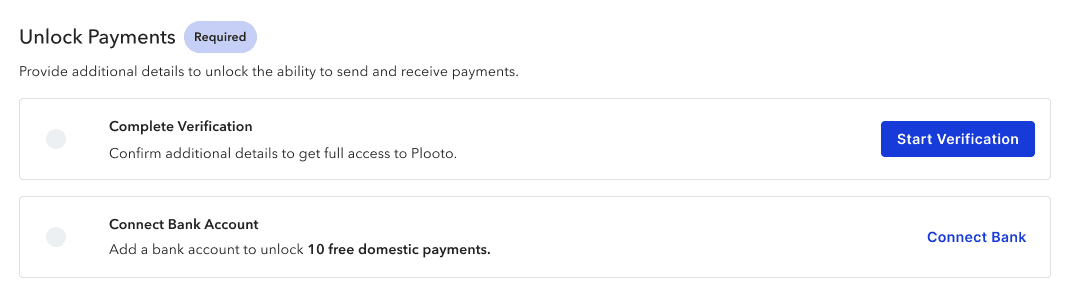
Having tried multiple iterations of sectioning client management and unlocking payments, having separate tabs ensures that content is easily digestible and accessible.
Previous iteration
Key decision 03
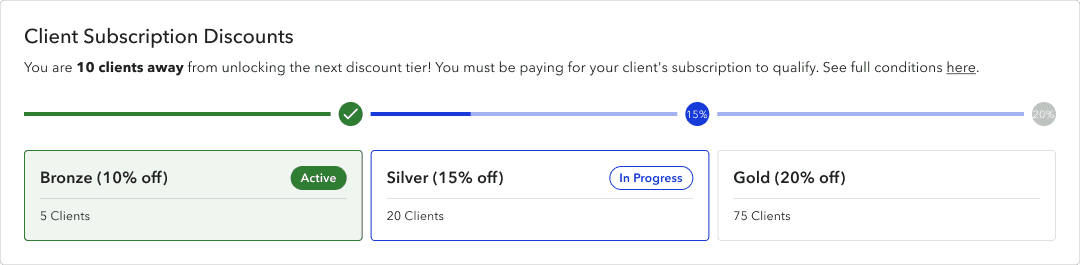
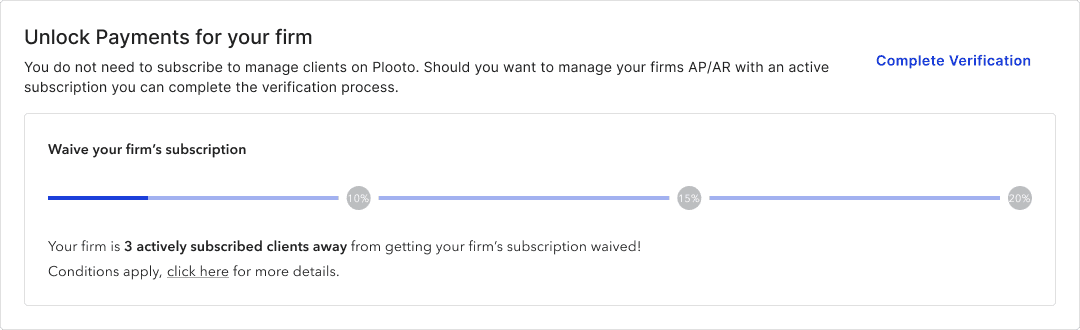
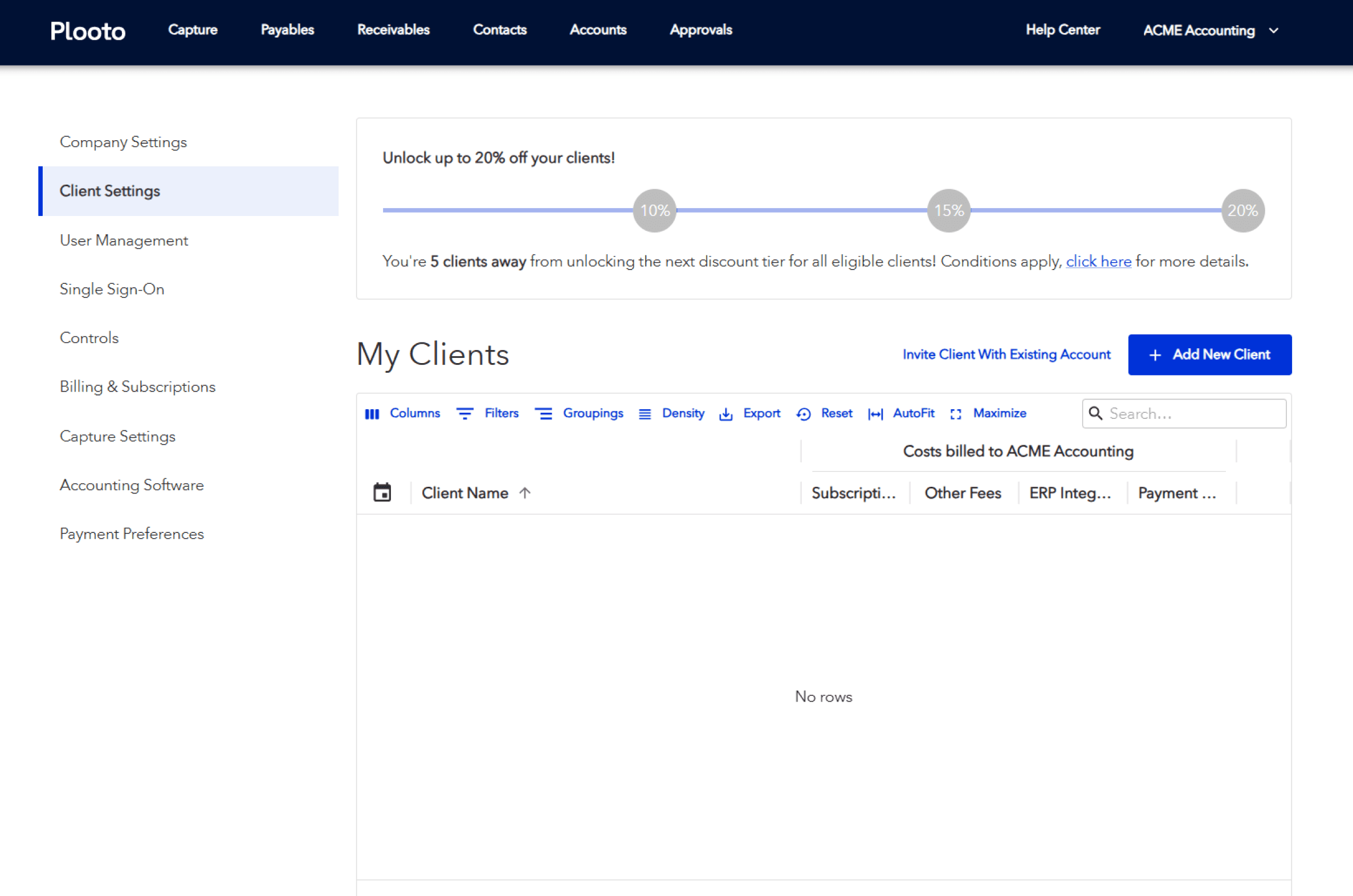
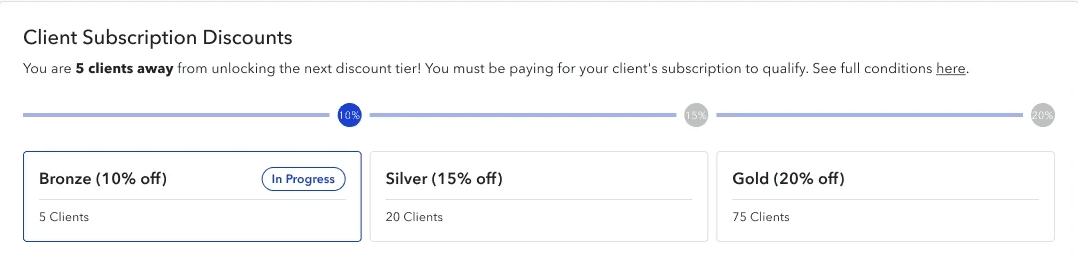
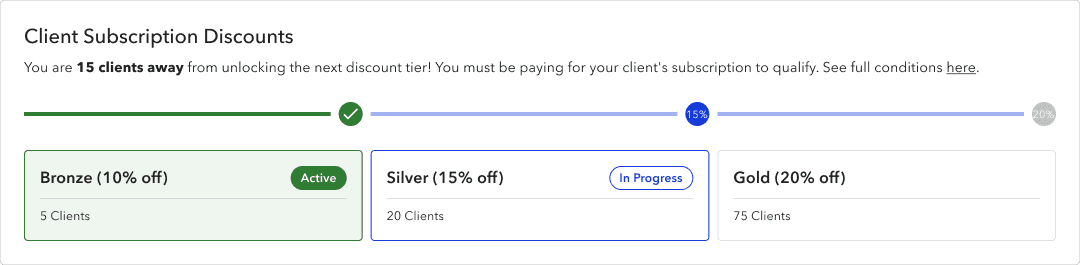
While adding clients could give bonuses to the users, this was buried in the 'Settings'. As this seemed important for users to be aware of, I placed it on the dashboard and gamified it to encourage growth.

Solution
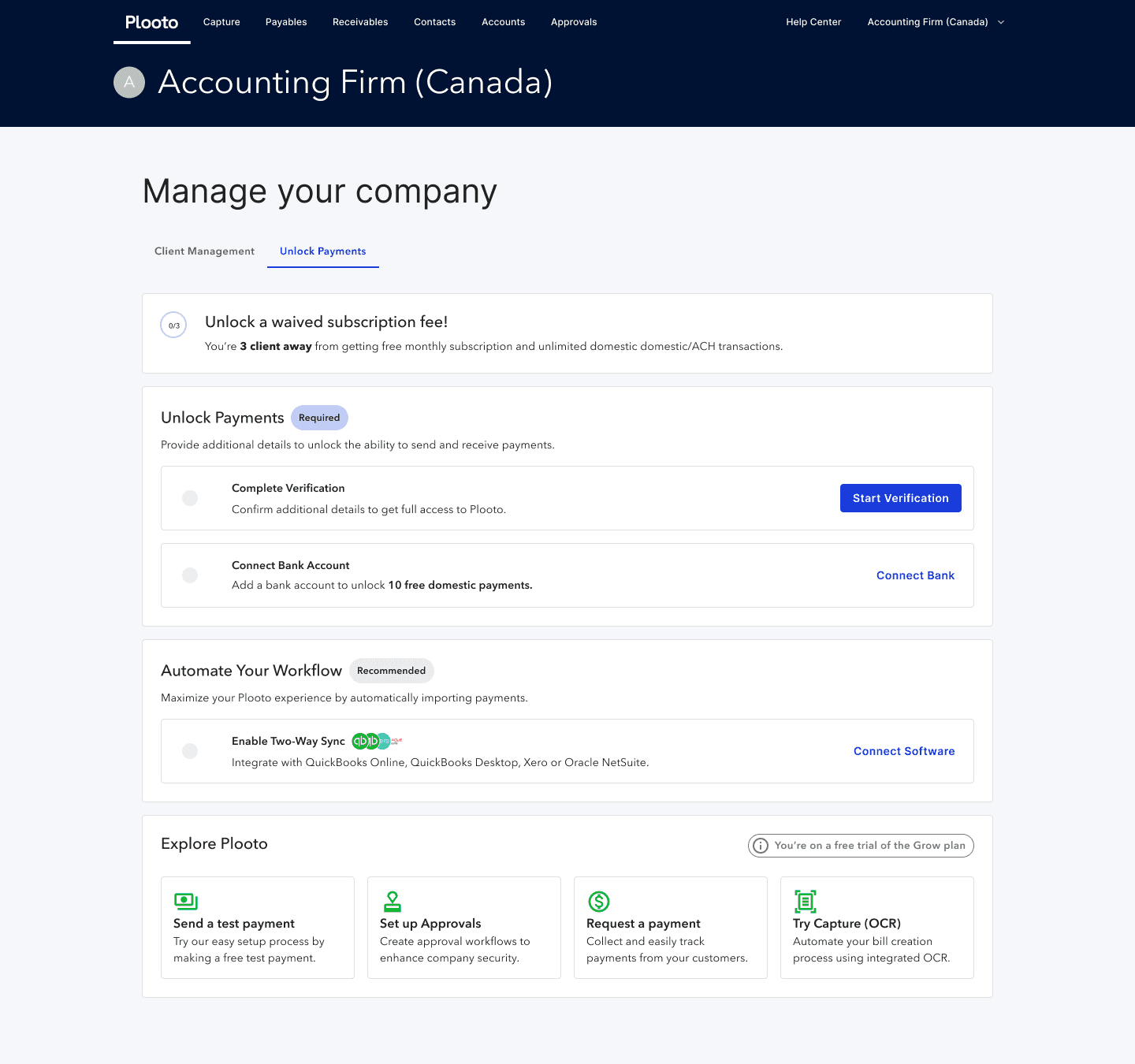
easily navigate between client/firm management and unlocking transacting features
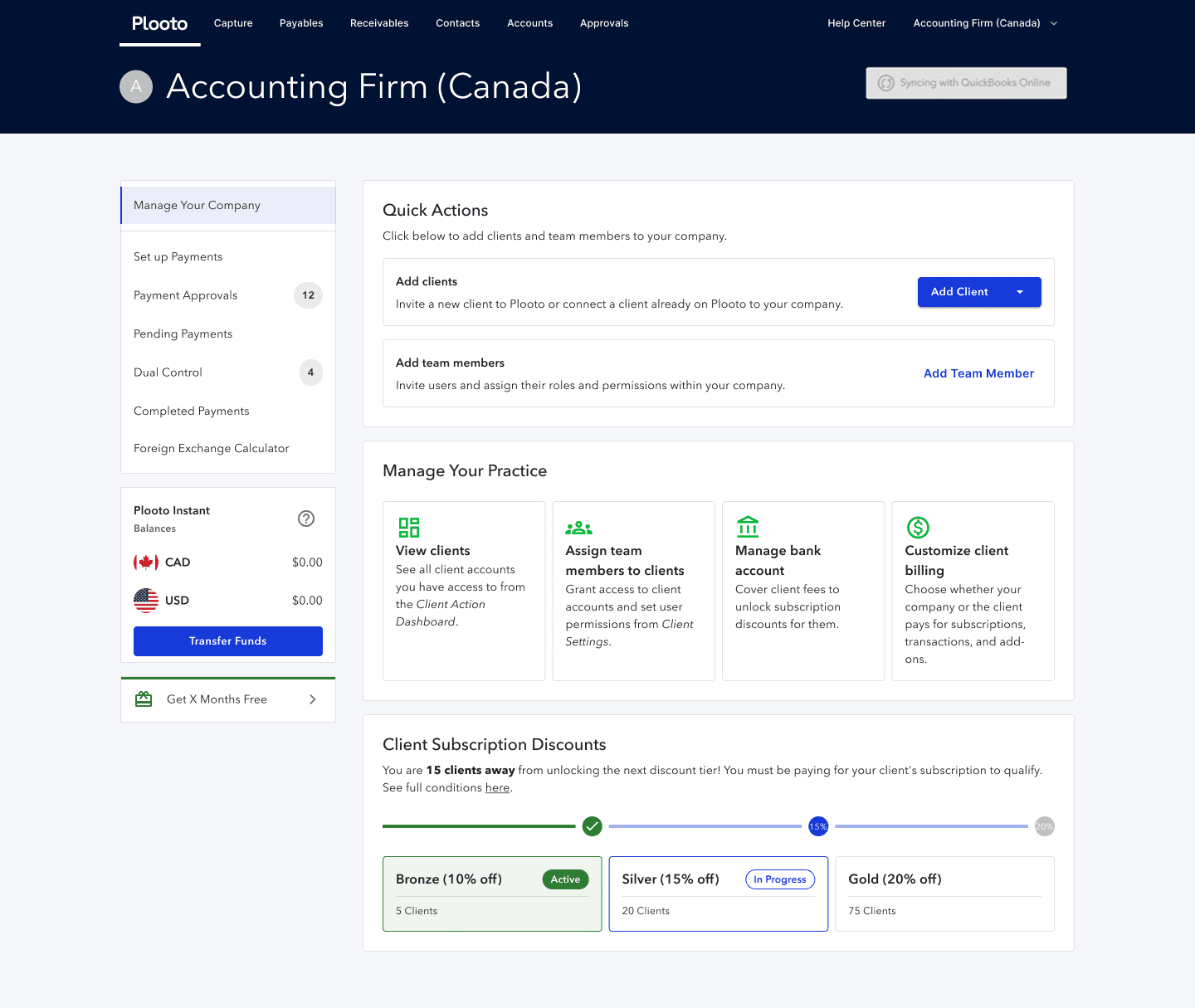
The redesigned dashboard separates client and firm management from payment unlocking, allowing users to switch between tasks intuitively and unlock payments when needed.


Keeping Core Tasks Front and Center
Action buttons surface the most important tasks, reducing friction and supporting efficient daily workflows. Even after users unlock payments and see a new dashboard, the firm/client management tab will still be found as the primary tab users land on.
Incentivizing client growth
Built-in incentives encourage parent users to add and manage more clients, reinforcing long-term engagement with the platform.

Takeaways
Lessons
scope the mvp
The biggest challenge was identifying the MVP. Initially, I jumped into designing and kept wondering if more features needed to be added for this experiment. Creating the user story map helped narrow down what was important.
Present with the audience in mind
Throughout my time at Plooto (and for this project), I had to present to different groups of people that may not have the full context of the project or why it was happening. I learned to show old flows and get everyone up to speed before presenting the new designs.
Next steps
The project was handed off to the developers with documentation (ClickUp tickets and Notion pages) and the design file (Figma).
Developers will create the new dashboard
The design and marketing teams will conduct A/B testing to gather data on its effectiveness
Sales team will report any significant difference between the controlled and variant group when it comes to asking for assistance